Case Study · Merchant Services — Chase for Business
Turning a “quick integration” into the case for a platform
Chase acquired Paymentech and wanted its reporting folded into Chase Business. I led the UX strategy — and used research to turn a bolt-on “add a reports tile” request into a funded case for a dedicated Merchant Services hub.
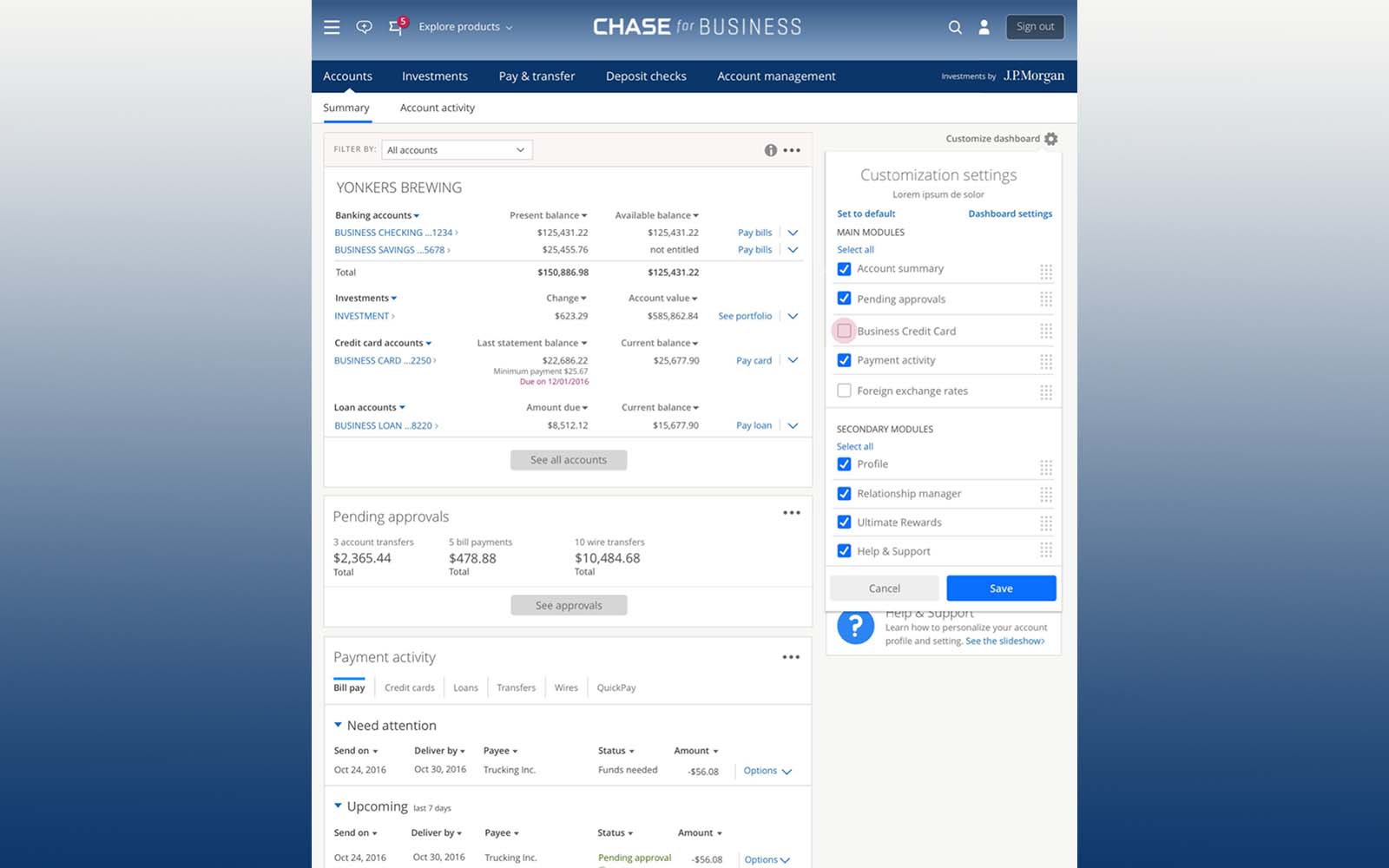
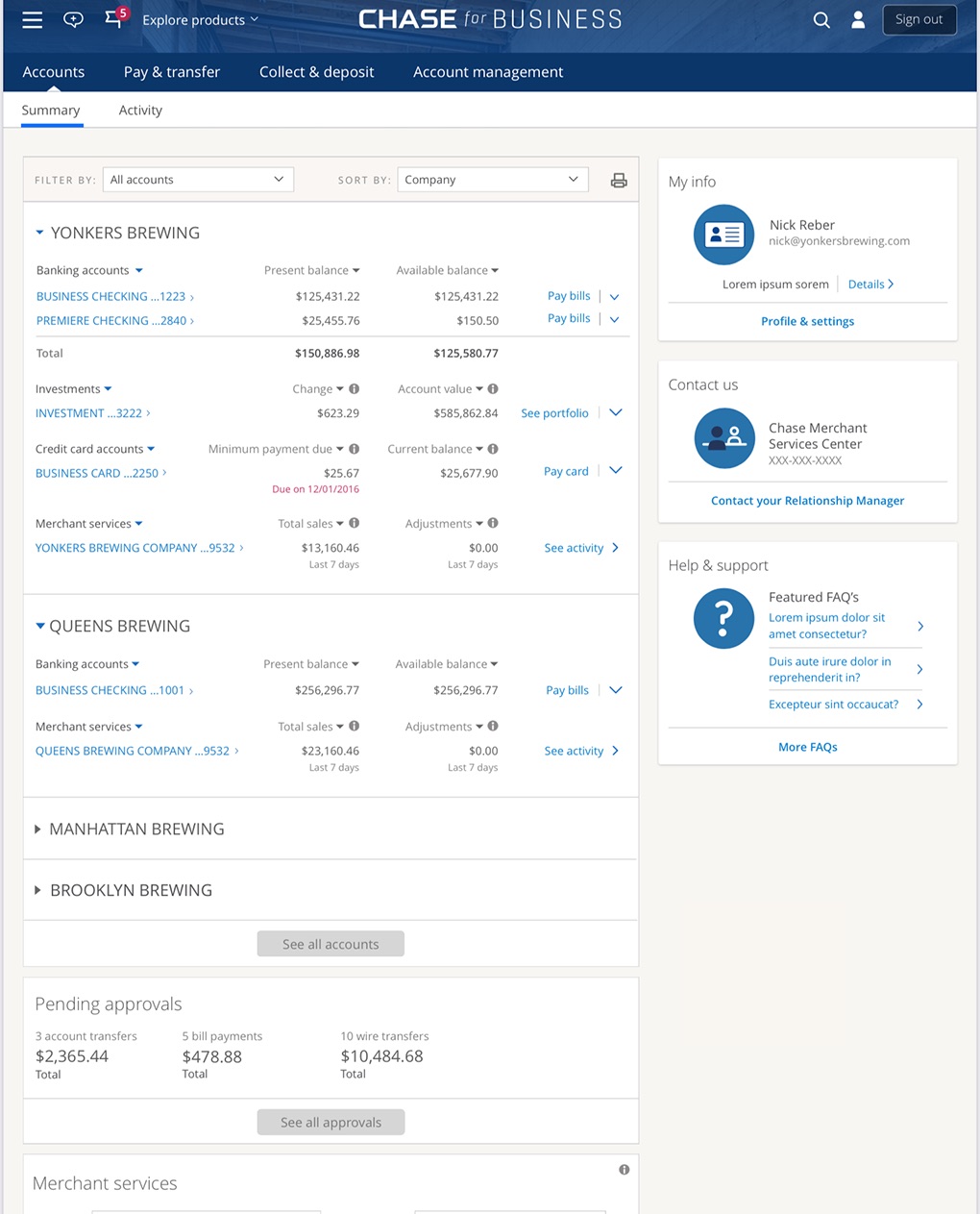
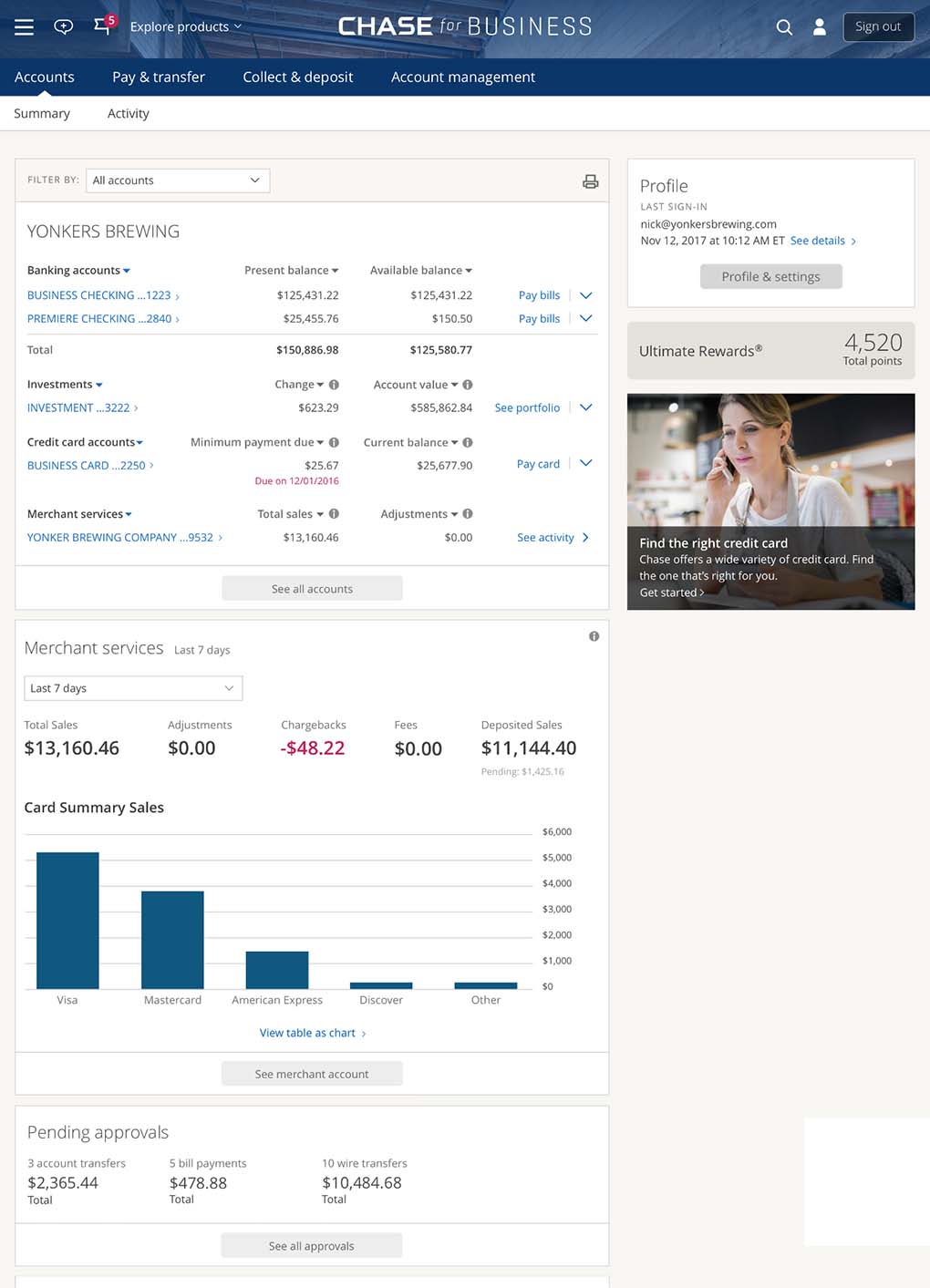
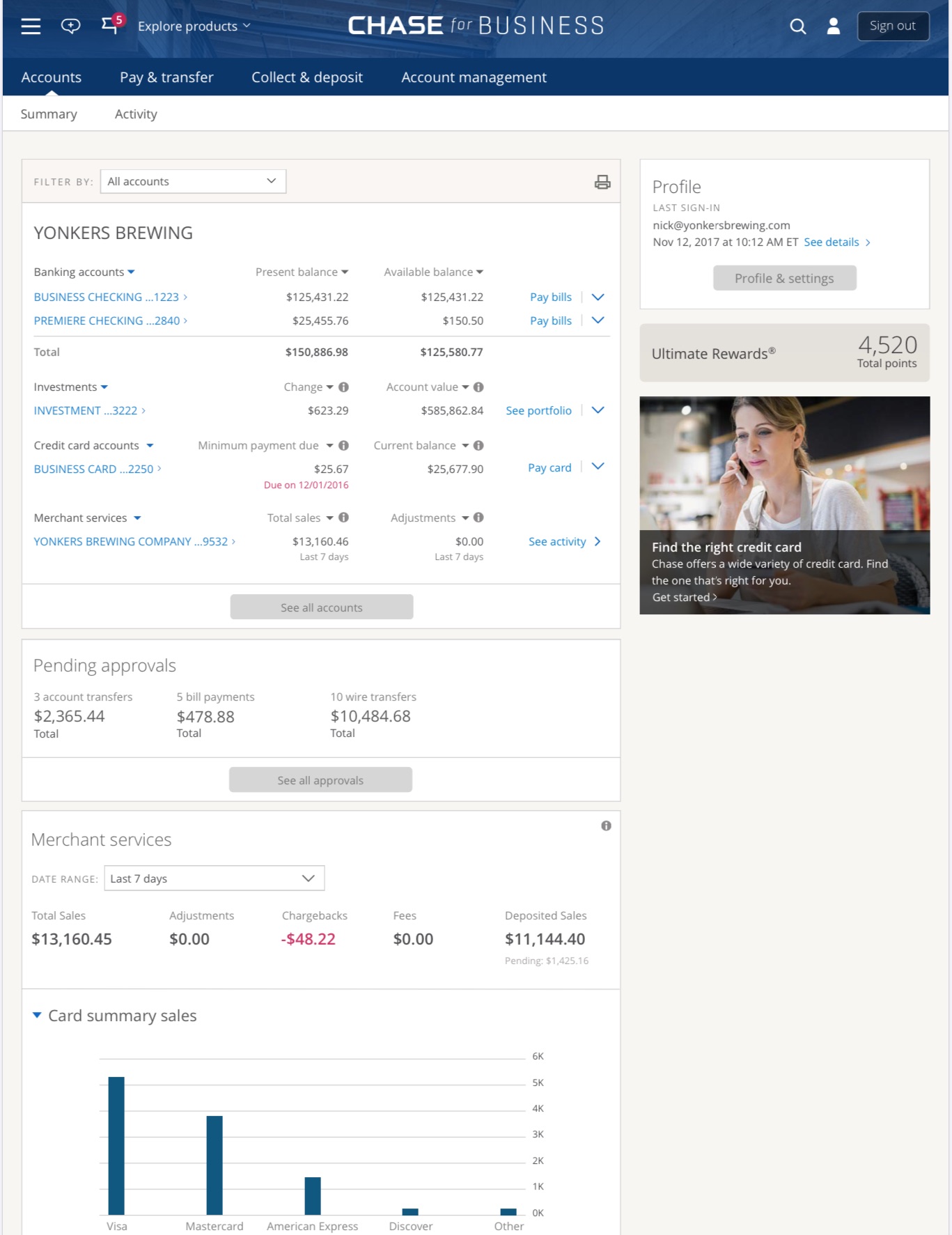
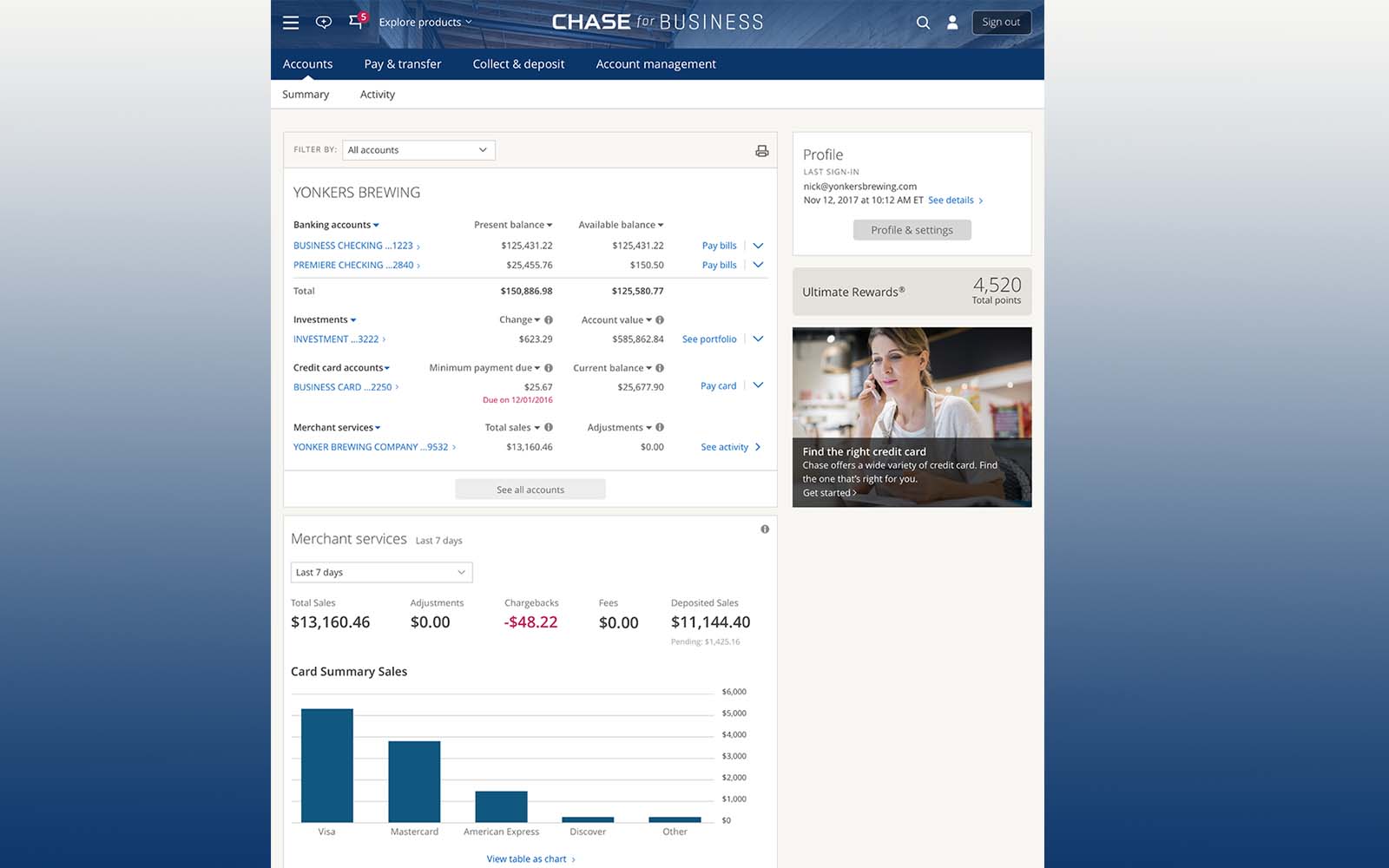 Add Merchant Services Homepage Widget
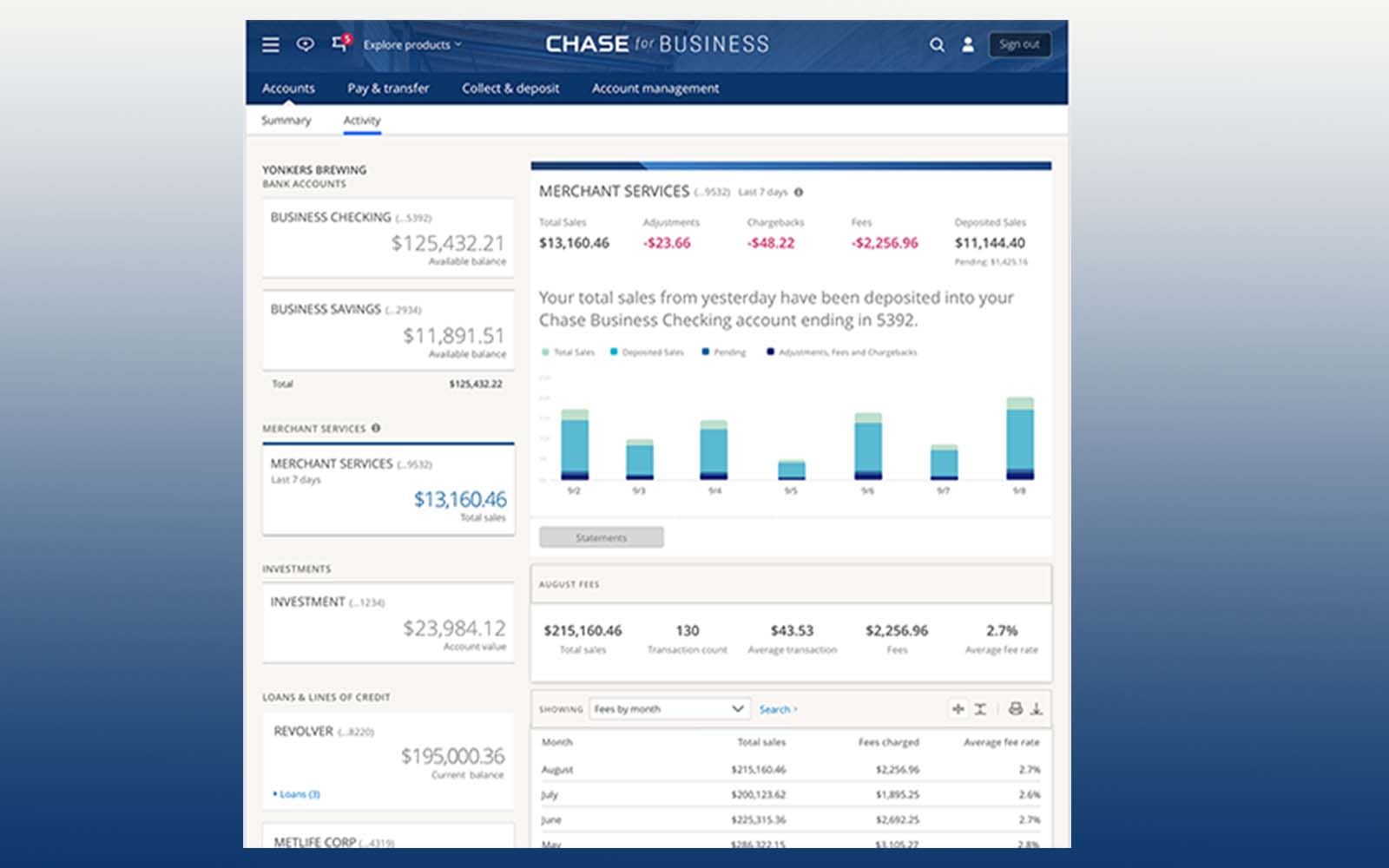 View Daily Sales Concept
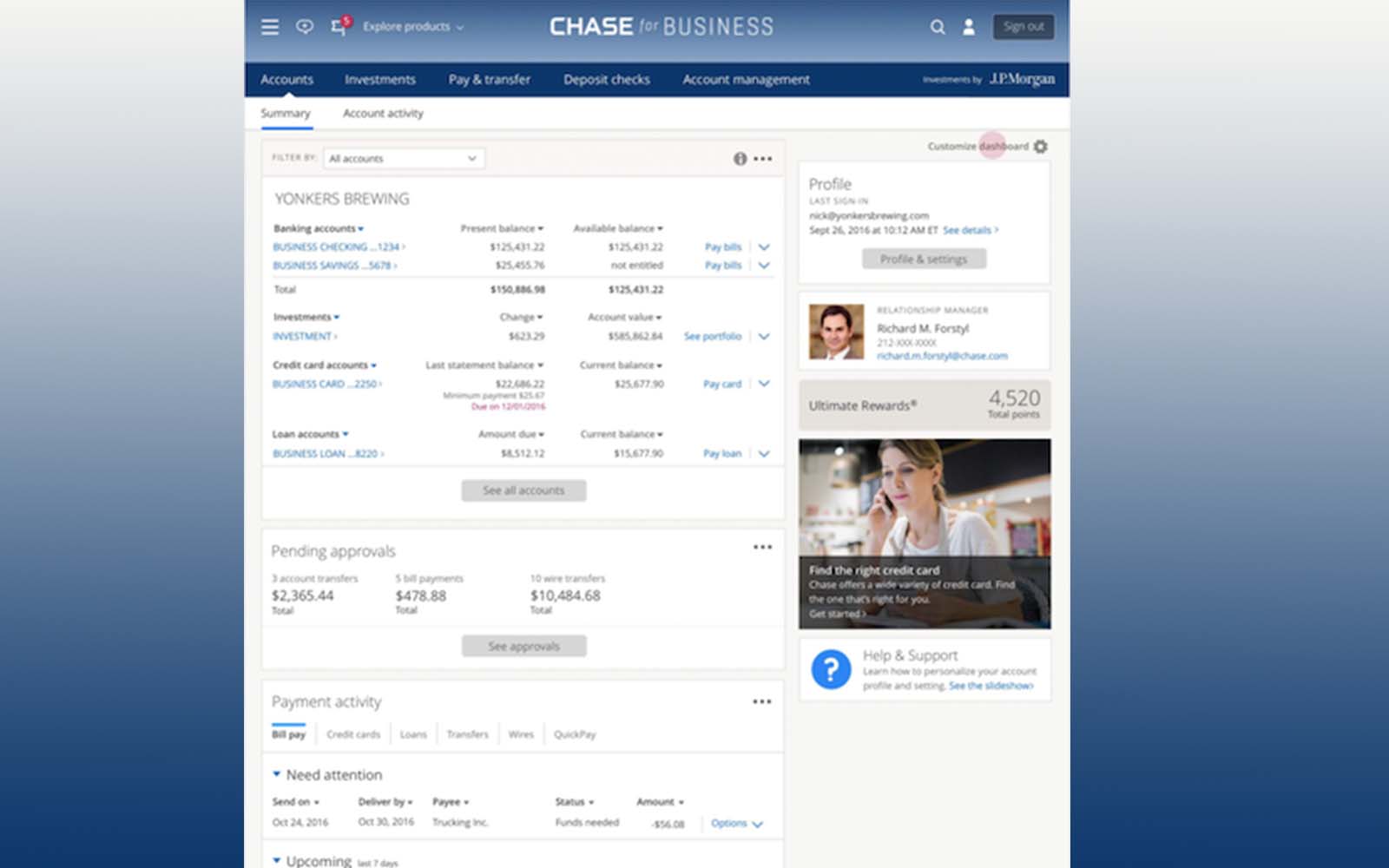 Home Vision Customize Page
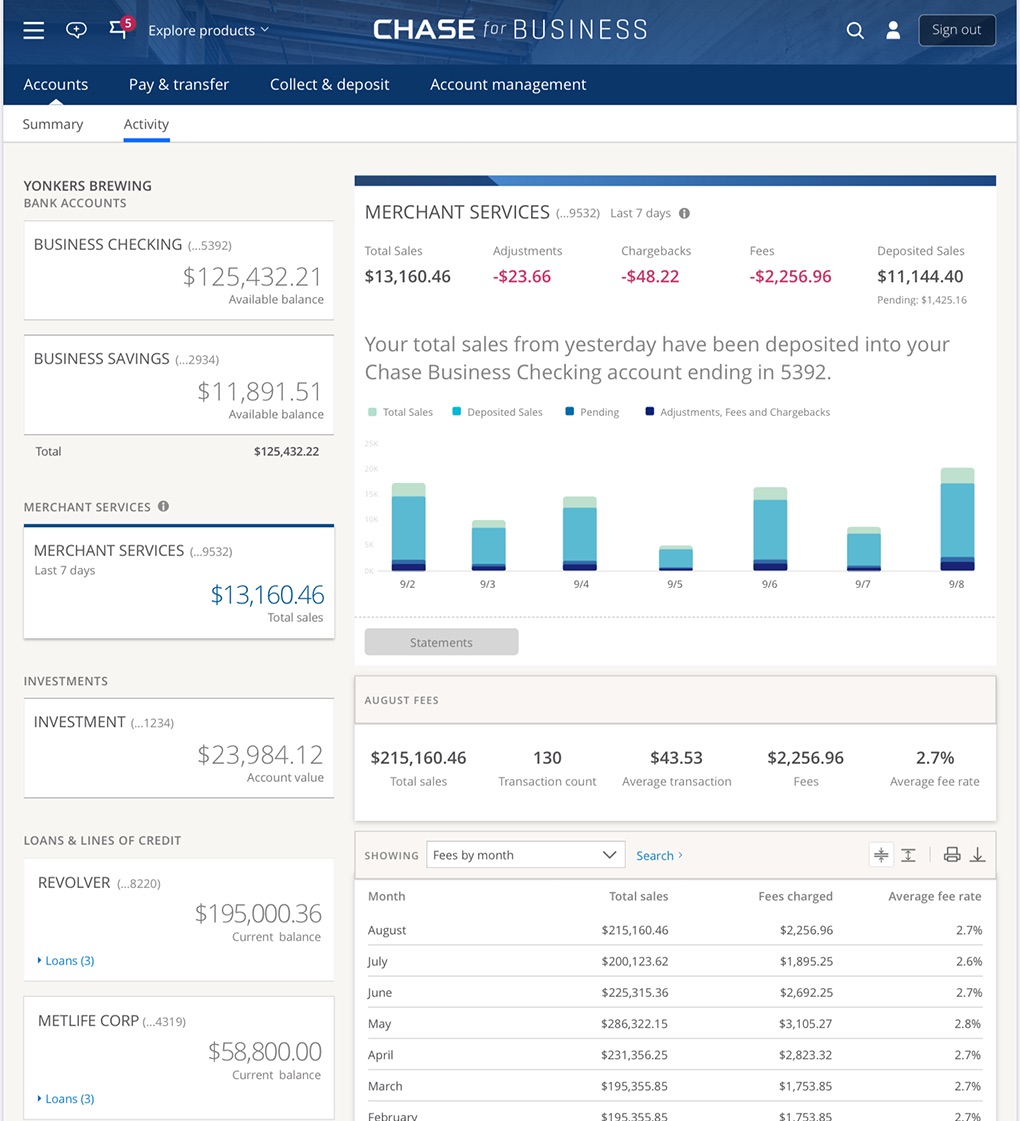
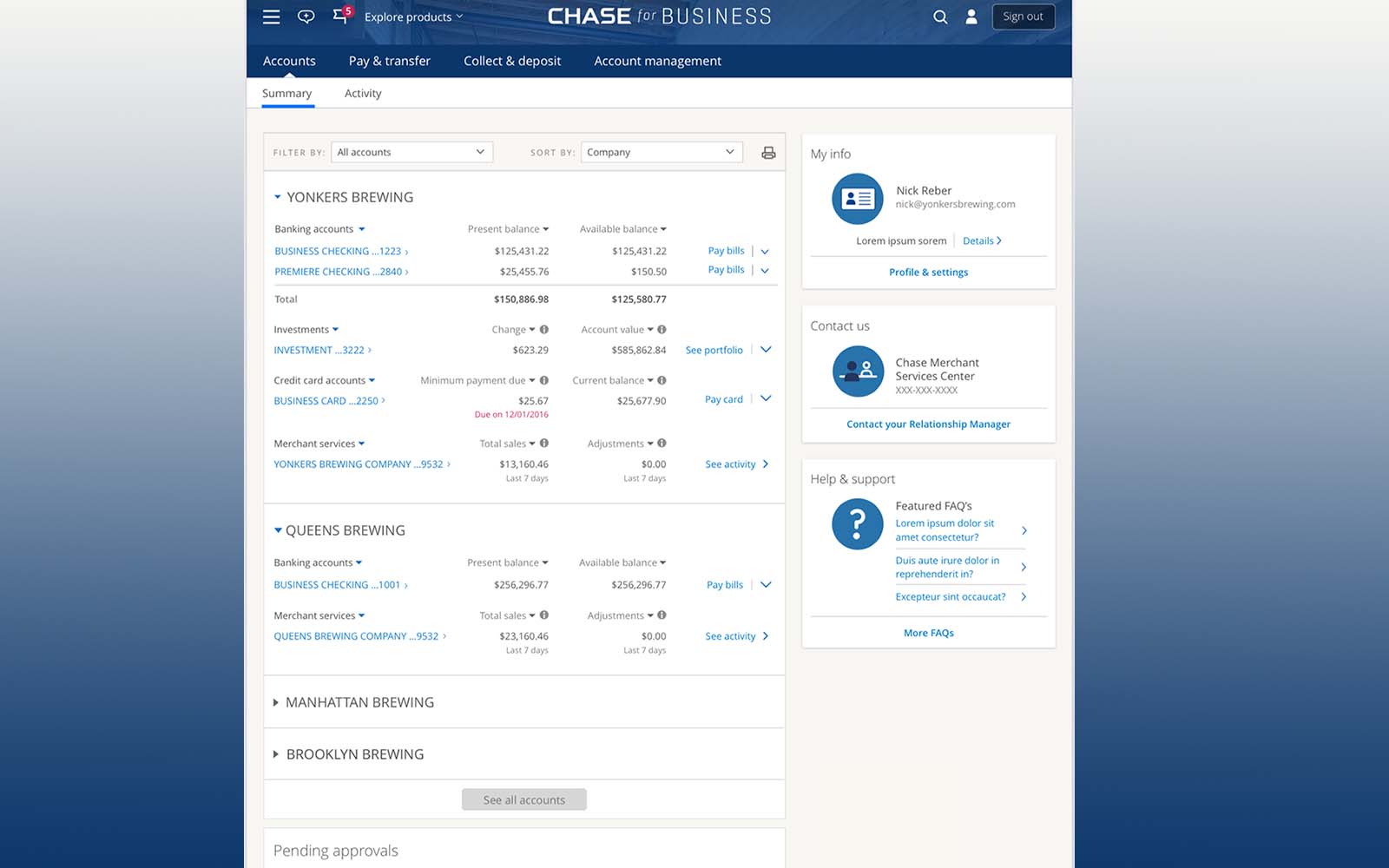 Vision Merchant Service Hub
At a glance
Role
Head of UX, Merchant Services — led a cross-functional team: 2 designers, a content strategist & a researcher
Scope
Integrating Paymentech reporting into Chase Business; shaping the Merchant Services vision
Practice
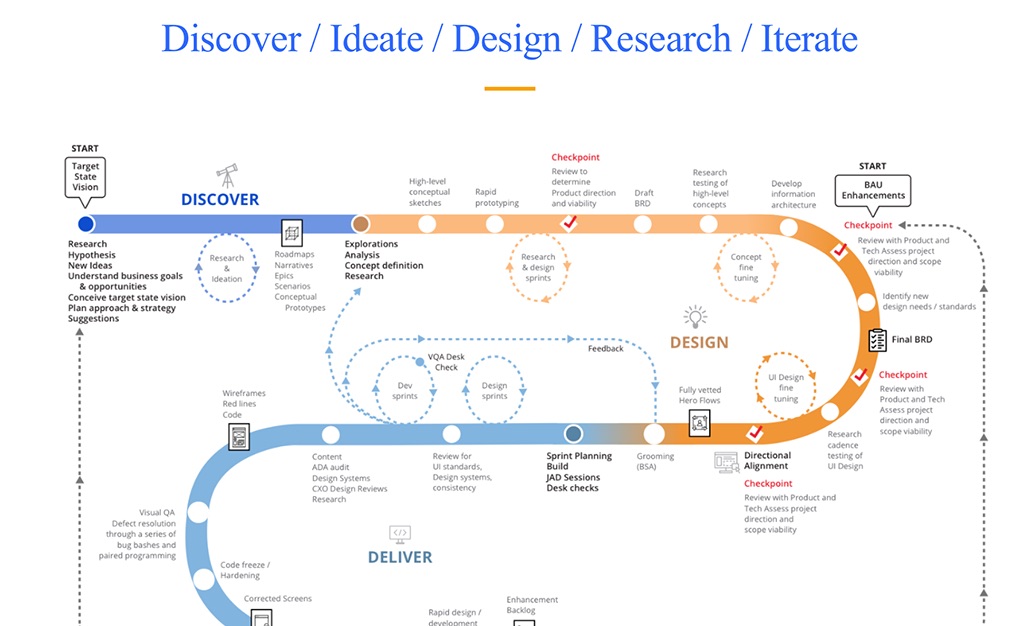
Research-first: workshop → MVP → field research → design sprint → North Star → roadmap
Outcome
Shipped the MVP; research won budget for a dedicated hub & a team; my portfolio grew to three teams and a promotion to Head of API Portals
Origin · how I got here
From agile delivery to the landing page of Chase Business
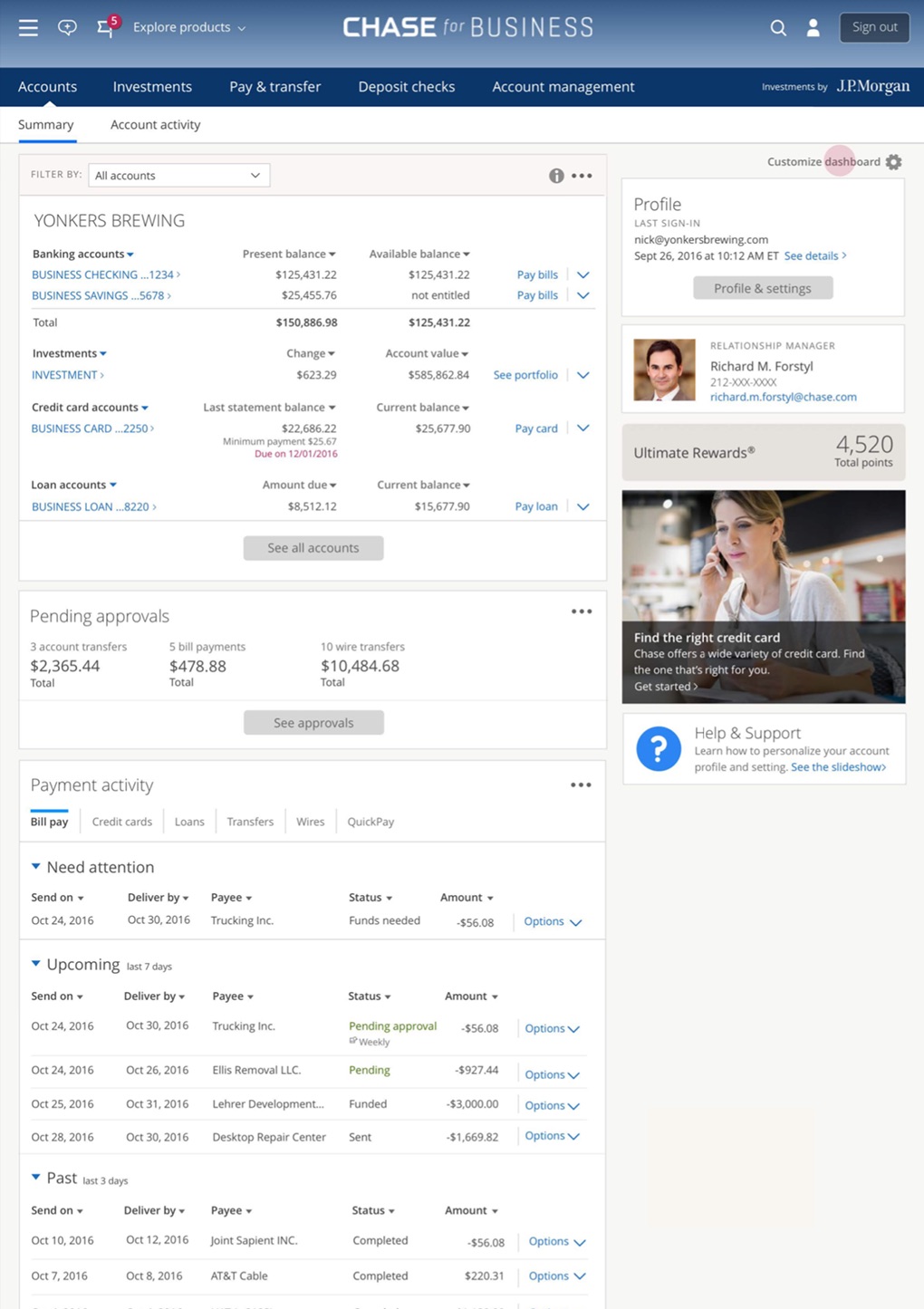
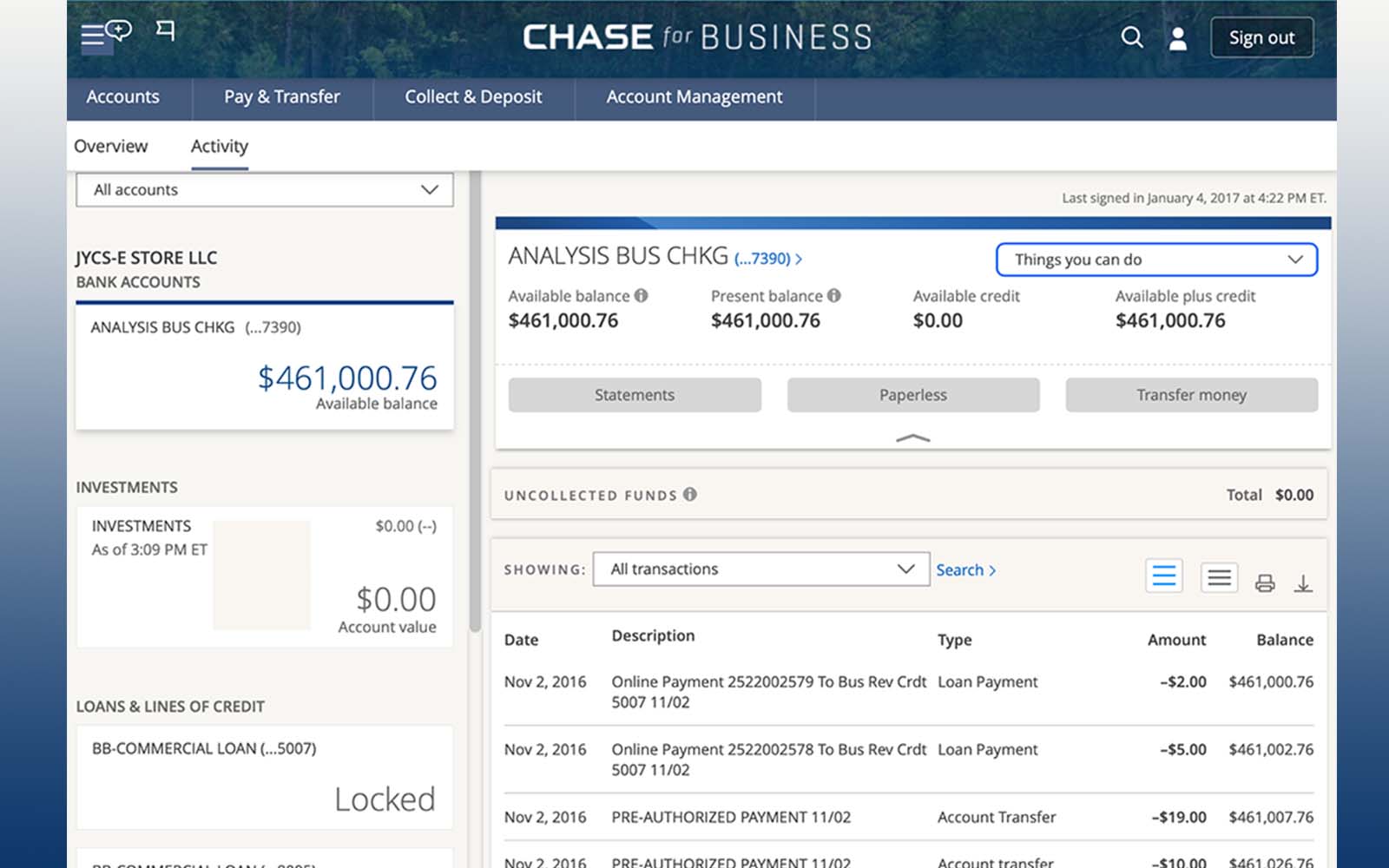
I was hired into Chase Business as an Assistant Director on the DCE team — about 40 people at the time — and moved into hands-on strategy across several initiatives, including the homepage and the accounts page, the two highest-visited pages on Chase.com and Chase mobile. The new homepage was a major cross-org effort — every feature product owner across the business — and I was part of the team that designed it; it replaced the accounts page as the landing and was adopted as a system across Chase’s lines of business. It also needed governance to protect that real estate for the customer — the first of several times I’d stand up that kind of governance at Chase. That work earned me the lead on Merchant Services. (More on this chapter in the Chase Business case, coming soon.)
The problem
A “simple” integration — on aging software
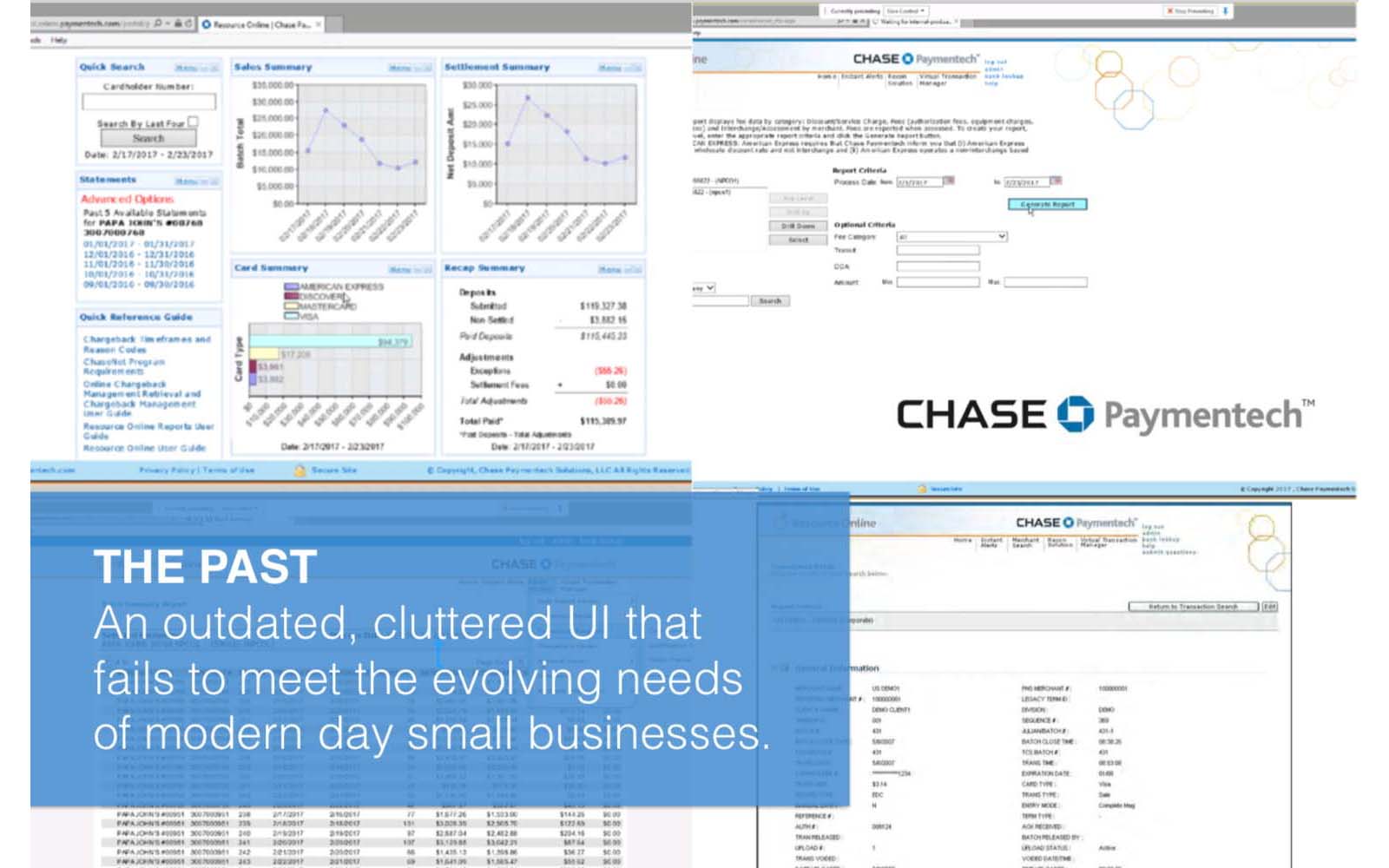
Chase had acquired Paymentech, a merchant-services company where merchants review their daily sales and deposits — on aging software. Chase Business Online wanted that data inside its app, on the premise that small-business owners want one sign-in for everything. Product saw a simple integration: add a Merchant Services category to the accounts page showing daily sales and deposits. It looked like a quick win — and a chance to surface cards and loans in an all-in-one experience.
The brief
The brief I wrote — not the one I was handed
The product owners’ first solution was the bolt-on. But as my team scoped the work, we came to doubt it was the right answer — and started nudging toward something bigger. Through our early discussions and research the product owners began to see the possibility too; but to win funding from their leaders, we’d need a case, research, and a vision. So I wrote up the goal I believed the work actually required: define a multi-year vision for Merchant Services Online, decide how it should integrate, and design and test an MVP. (Worth remembering: at the time there was still little digital online banking — banks needed convincing to invest in digital at all.)
Goal 1
Define a 2–5 year MSO vision
- Understand the competitive landscape and state of the art
- Review analogous products for innovative solutions
- Identify opportunities — functionality, platform, service touchpoints
- Propose a UX vision roadmap and strategy
Goal 2
Find the right integration
- Map approaches — from standalone to fully integrated in CBO
- Weigh the merits against our current MSO user base
- Document what could generalize to other MSO-like services
Goal 3
Design & validate an MVP
- Validate a prioritized task list for MSO
- Understand the scaling requirements for the user base
- Concept and test new CBO design-system elements for scale
Discovery · the assumptions workshop
Separating what we knew from what we needed to learn
In discovery my team hesitated on one thing: merchant data doesn’t behave like credit-and-debit transactions — it’s sales, chargebacks, fees, adjustments, deposits. Did it even belong in Accounts? So we ran a workshop to separate fact from assumption.
Scoped an 8-week plan — discovery, ideation, testing, and iteration to an MVP.
Facilitated a workshop with Product Owners: what do we know for sure, and what do we still need to learn about merchants?
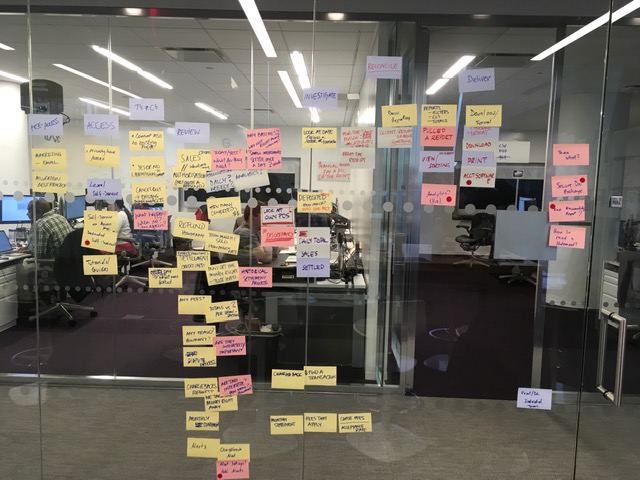
Clustered and analyzed the responses — and built the case for field research.
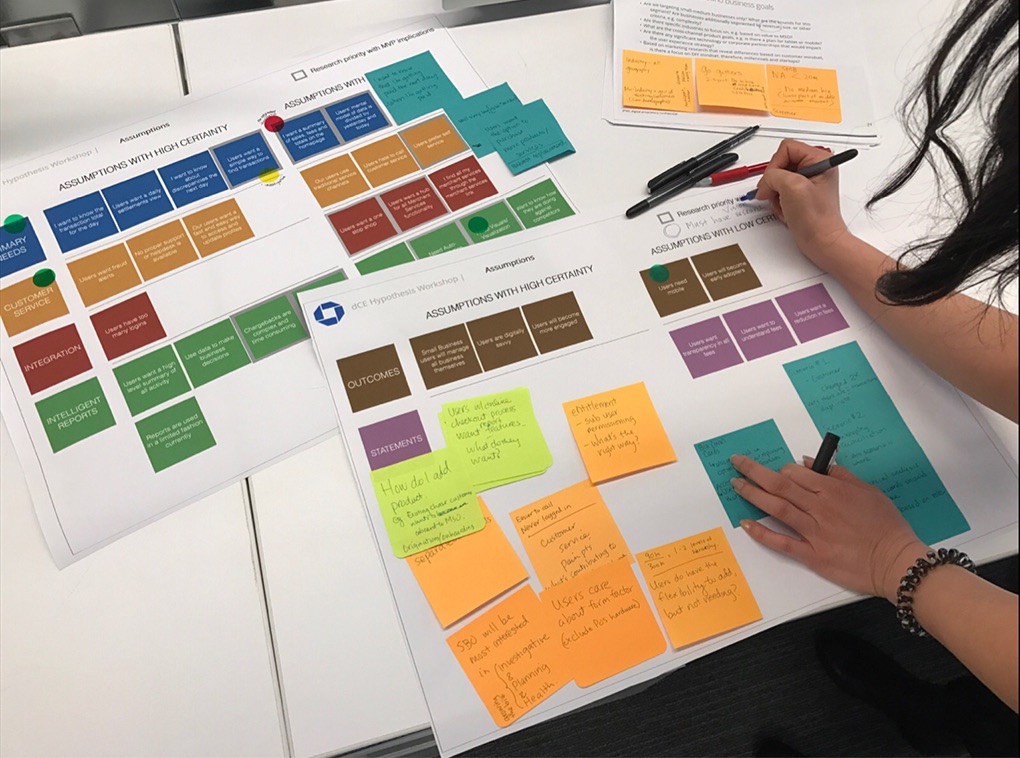
Digitized it for leadership — a map of high- vs. low-certainty assumptions that won approval to go into the field.
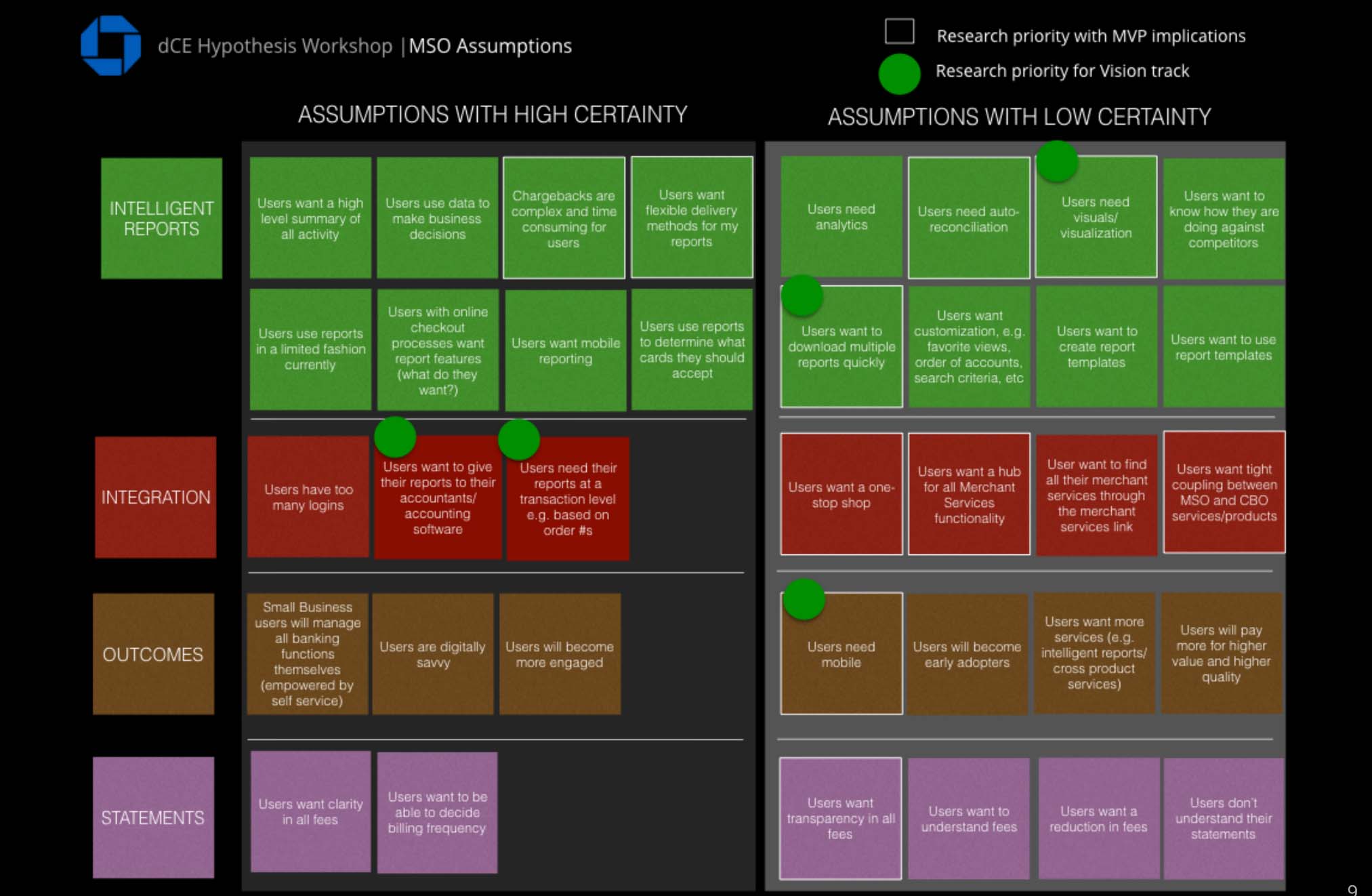
The case for field research
The field-research plan I wrote to win approval
Coming out of the workshop, we pushed back on bolting data into Accounts and recommended field research first. I wrote the contextual-inquiry plan we took to leadership — the proposal that won approval to go into the field.
Contextual Inquiry · Field Guide
A day in the life of a merchant
Study goal
Understand a day in the life of a merchant — how they do their job, their workflow across channels, and their behaviors, needs, goals and pain points — to inform what we design next.
A contextual inquiry IS
Observing merchants doing real tasks in their own environment, talking through what they do as they do it — open-ended and semi-structured.
It is NOT
An interview-based study that follows a rigidly structured discussion guide.
What to observe
Note-taking framework · AEIOU
Activities
The tasks & processes — and the steps in each.
Environment
Shared vs. individual space, and how it shapes dynamics.
Interactions
Between people, objects, and the environment.
Objects
What they are, and how they shape the experience.
Users
Who’s there — roles, relationships, and goals.
Meanwhile · the parallel push
We kept moving on the “quick win” in parallel
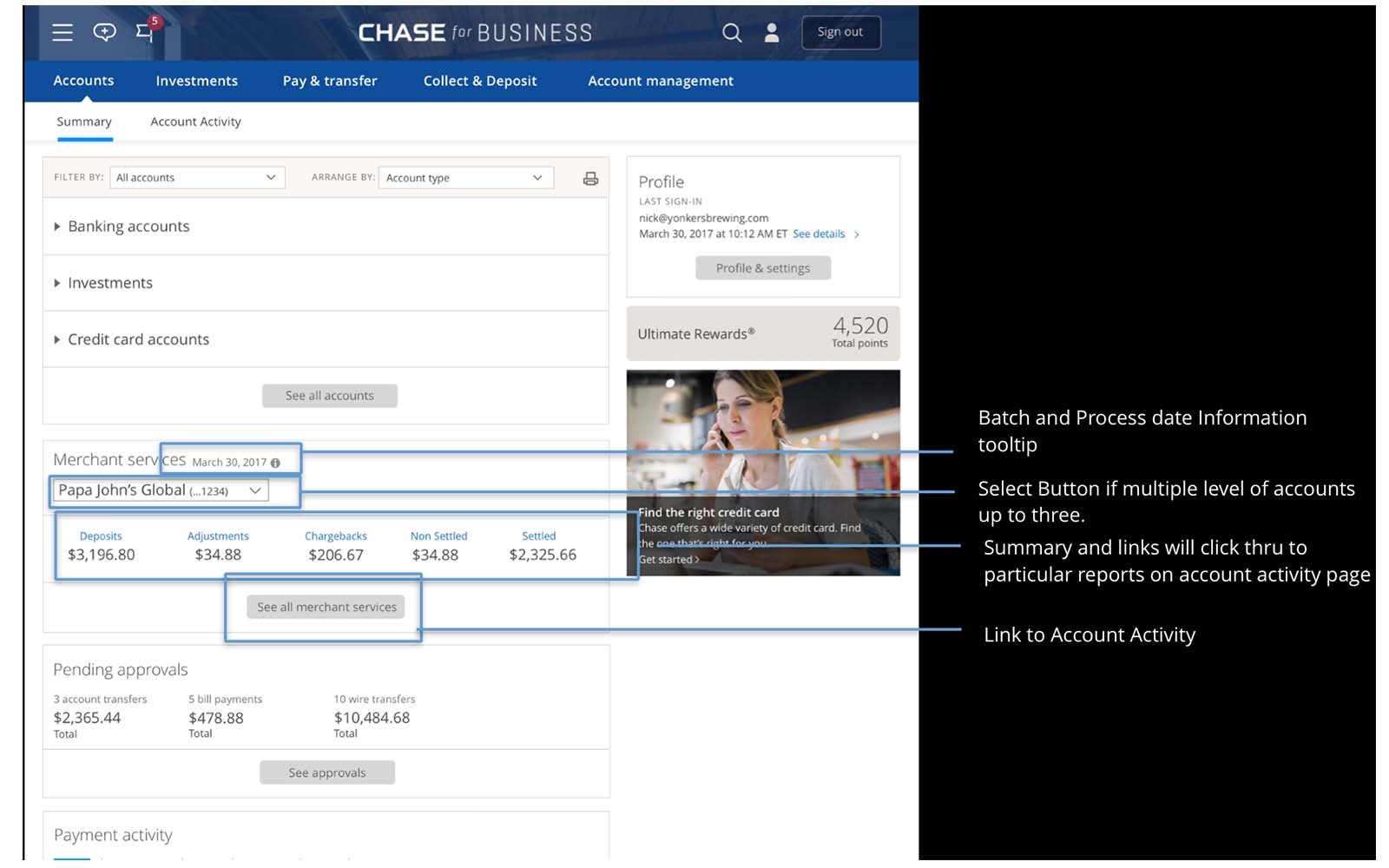
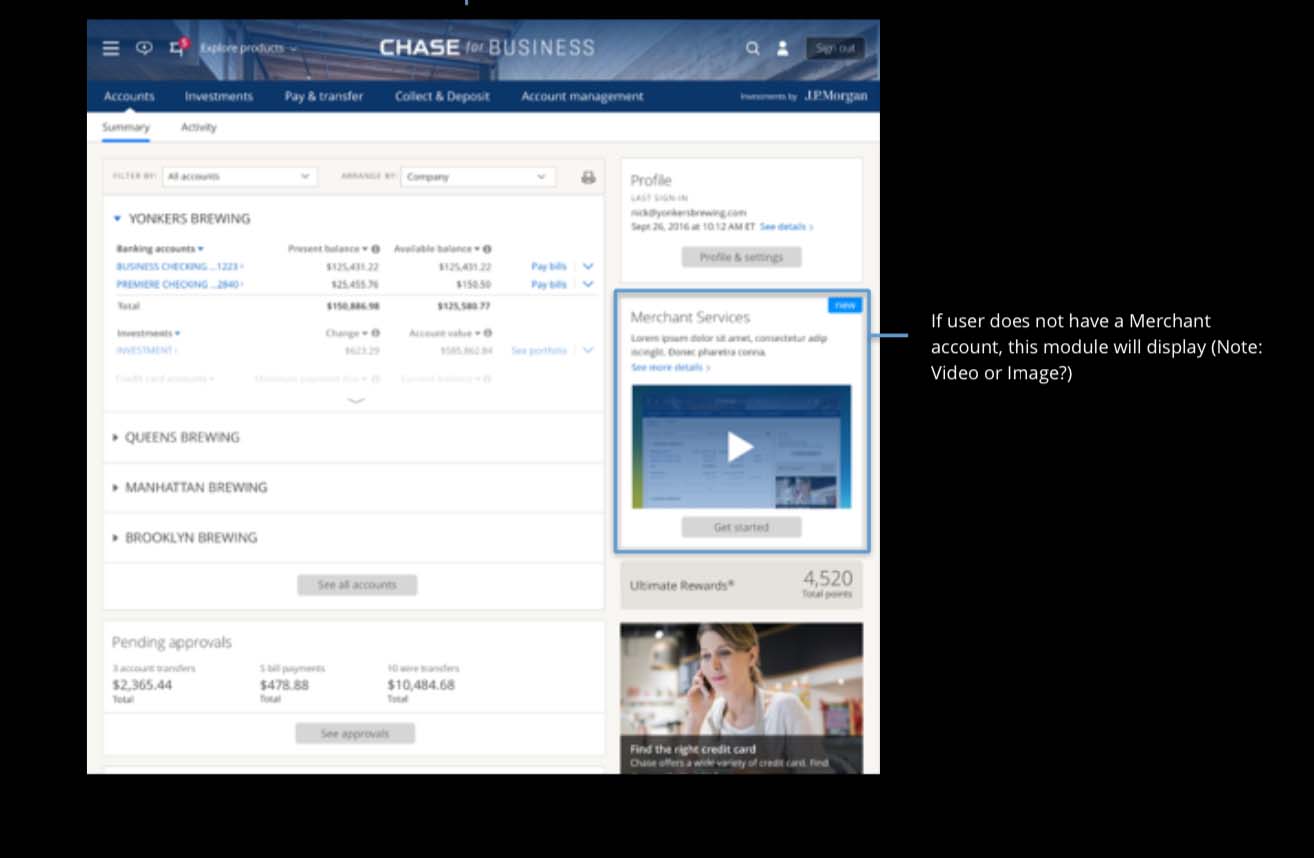
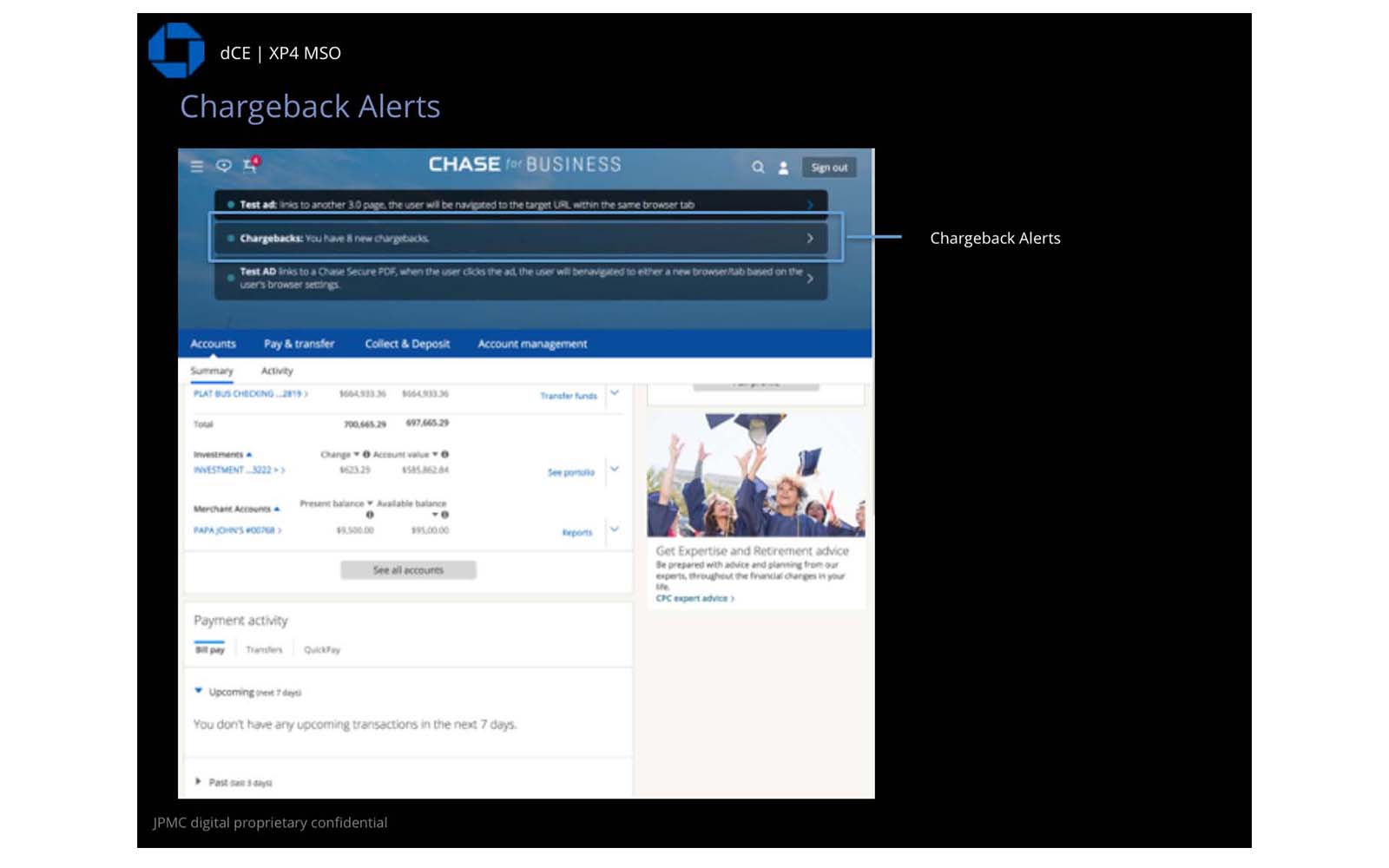
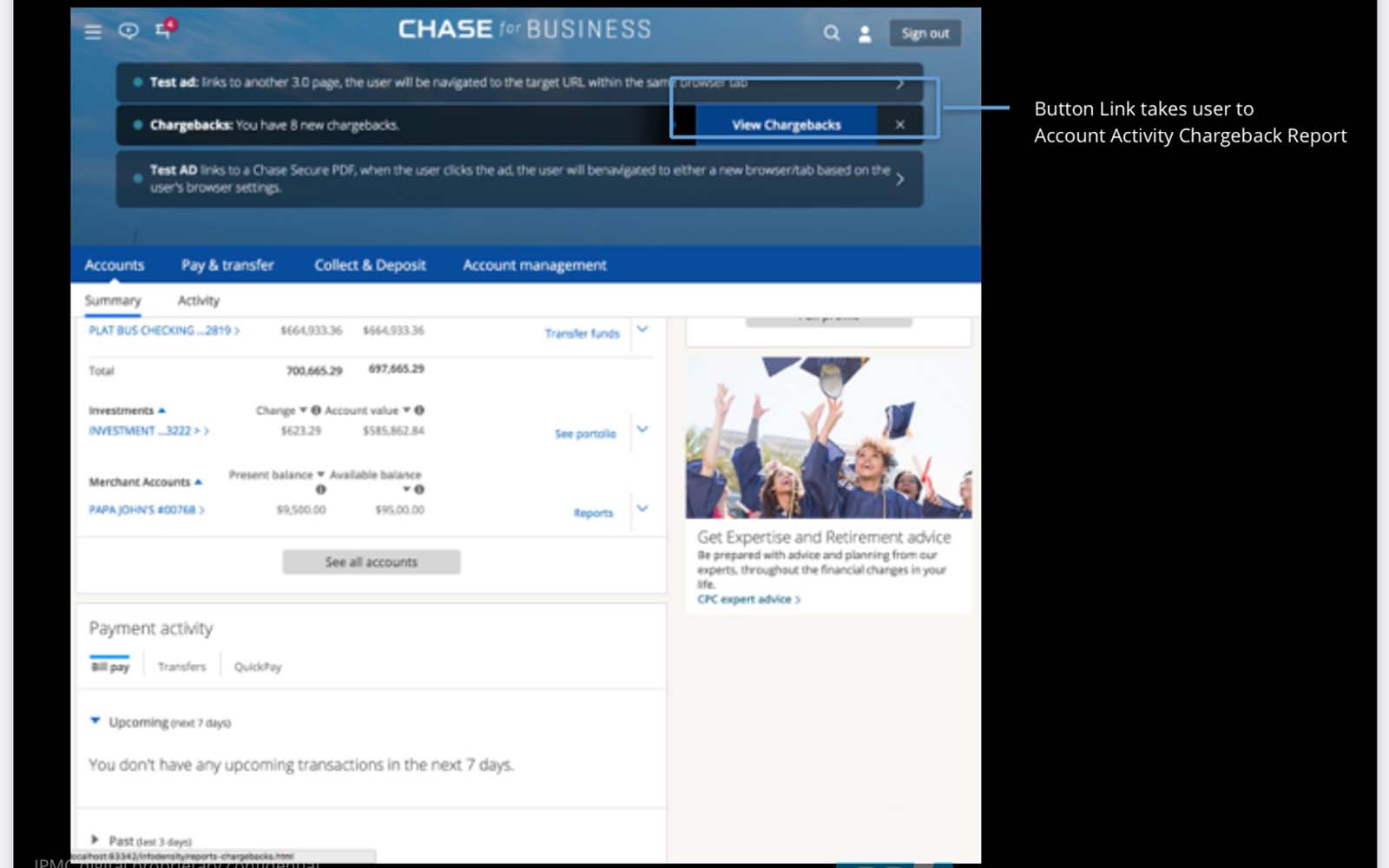
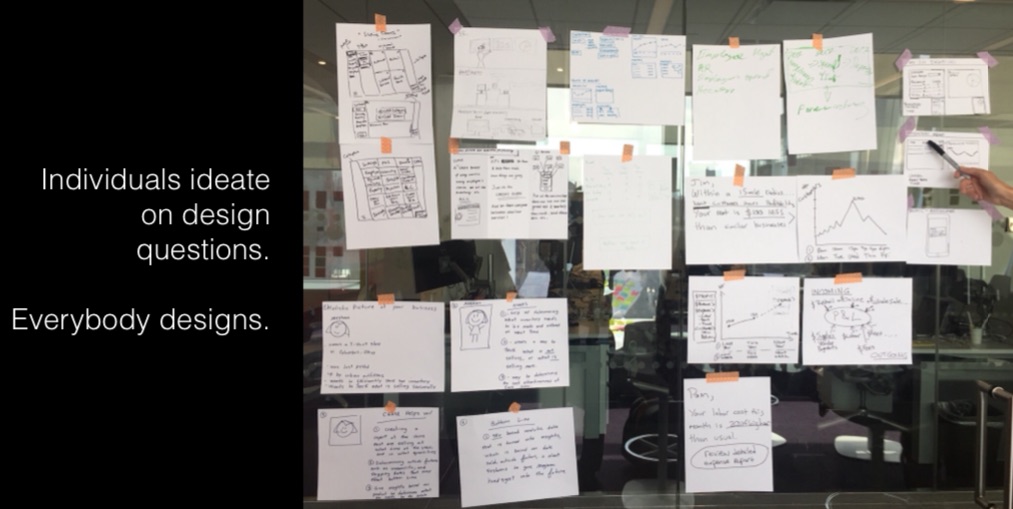
While we waited on approval to go into the field, Product still pressed for the assumed quick win — adding the merchant transactions into the accounts page. Rather than stall, we kept that thread alive. We facilitated a design studio — a design-thinking method of rapid ideation, feedback, and three rounds of iteration in teams with voting — alongside Chase Business, product owners, Paymentech leaders, engineers, and my team. From there we mapped how a merchant moves through reporting today, and how they might use our app: a summary widget on the home page, notifications to review chargebacks, the accounts page, and a reports category for merchants — so the bolt-on could be designed and tested while the deeper research case was still being made.
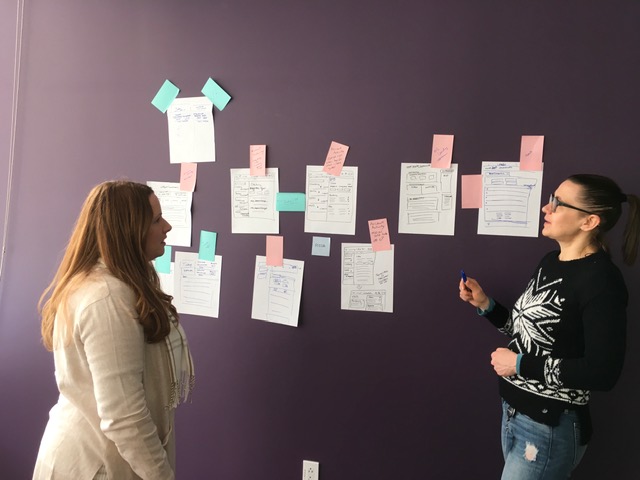
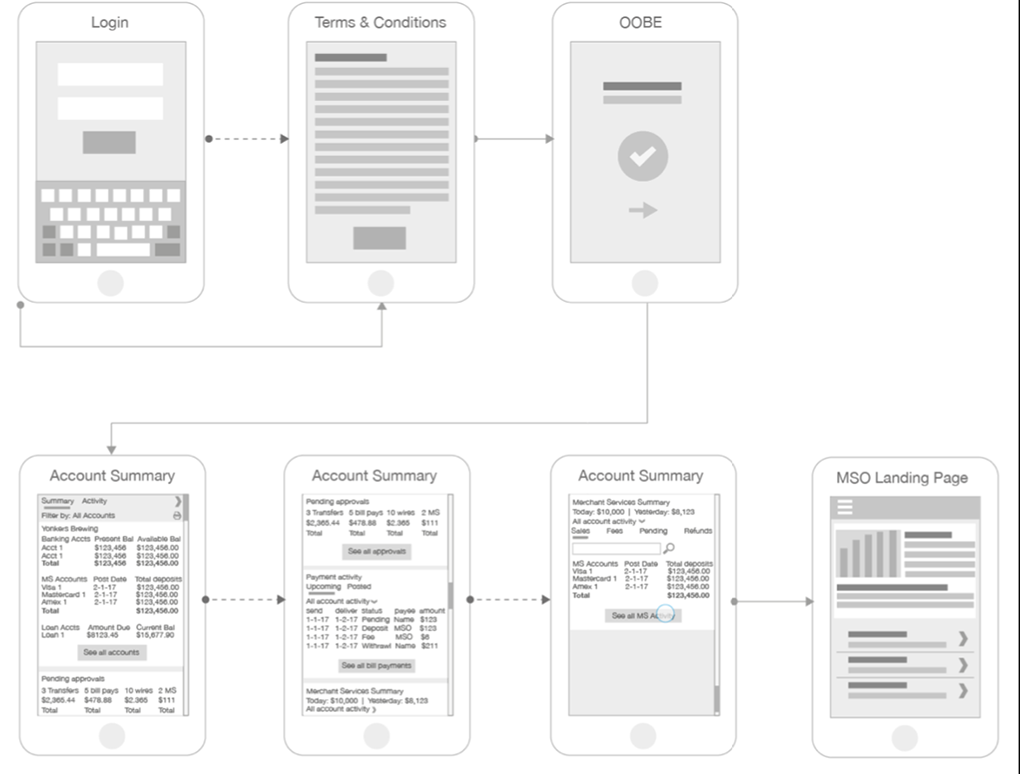
As we produced our early concepts, this is the walk-through I did after our collaborative ideation sessions. We mocked up a proposal: notifications for chargebacks and actions, the summary widget with the proposed transaction categories, and the in-app promotion. This part of the in-application journey we felt more confident about — except the titles of the five categories, which we hoped user testing and the field research would help us get right.
User testing
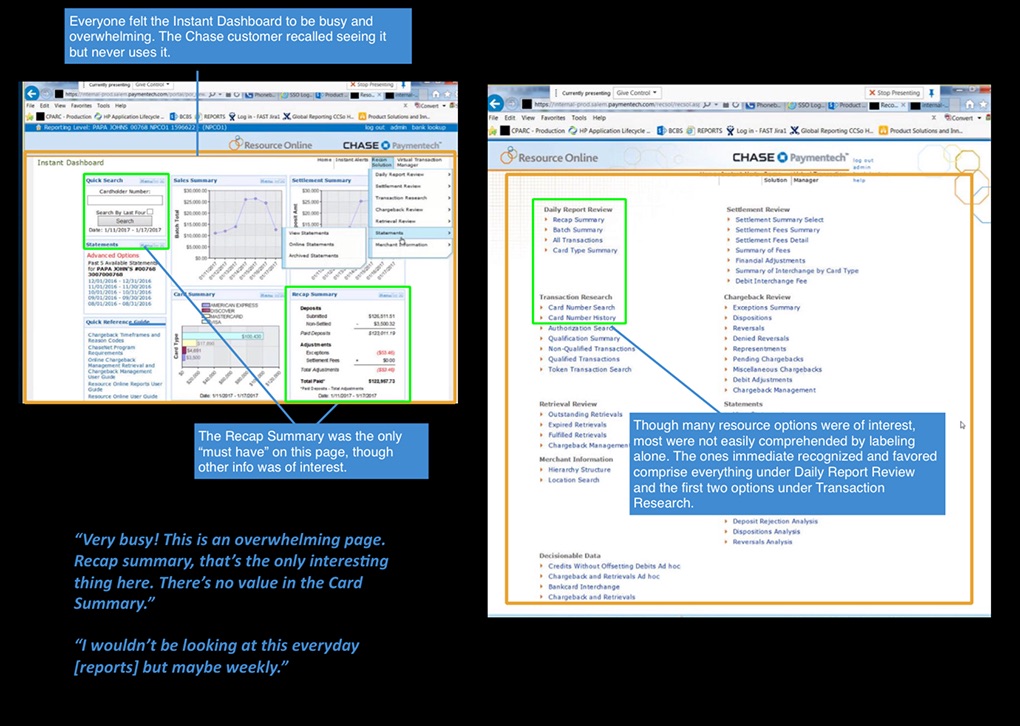
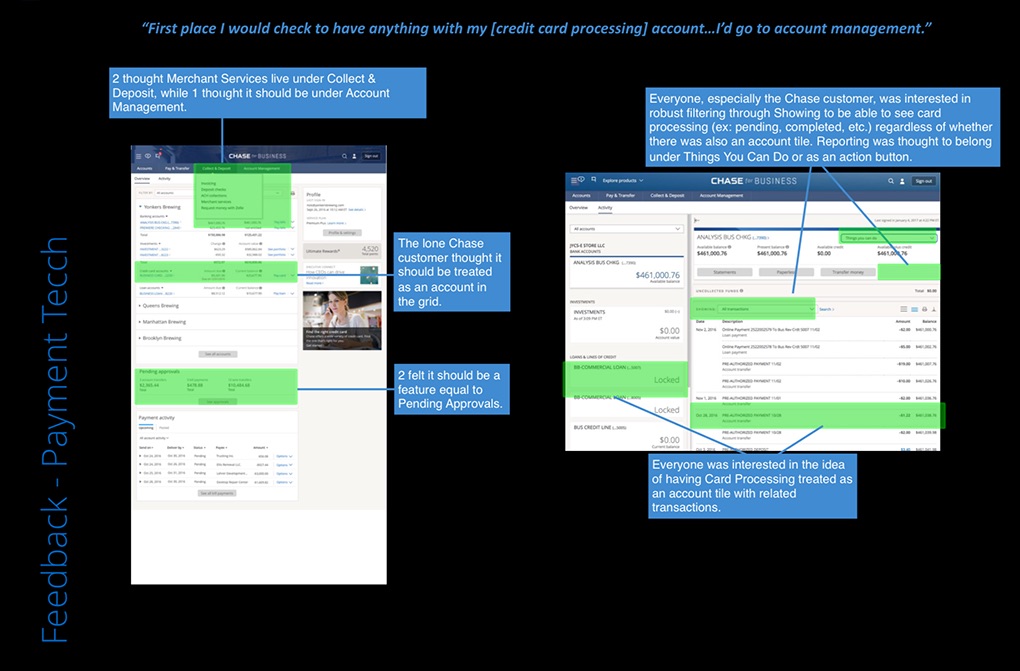
We tested the old software first, then our prototype
To know whether our direction was actually better, we ran two rounds: a baseline on the legacy Paymentech software to capture where merchants struggled today, then our prototype to see if the new flow and the five-category widget fixed it. The comparison is what gave the proposal its evidence.
In the field
We went to see how merchants actually work
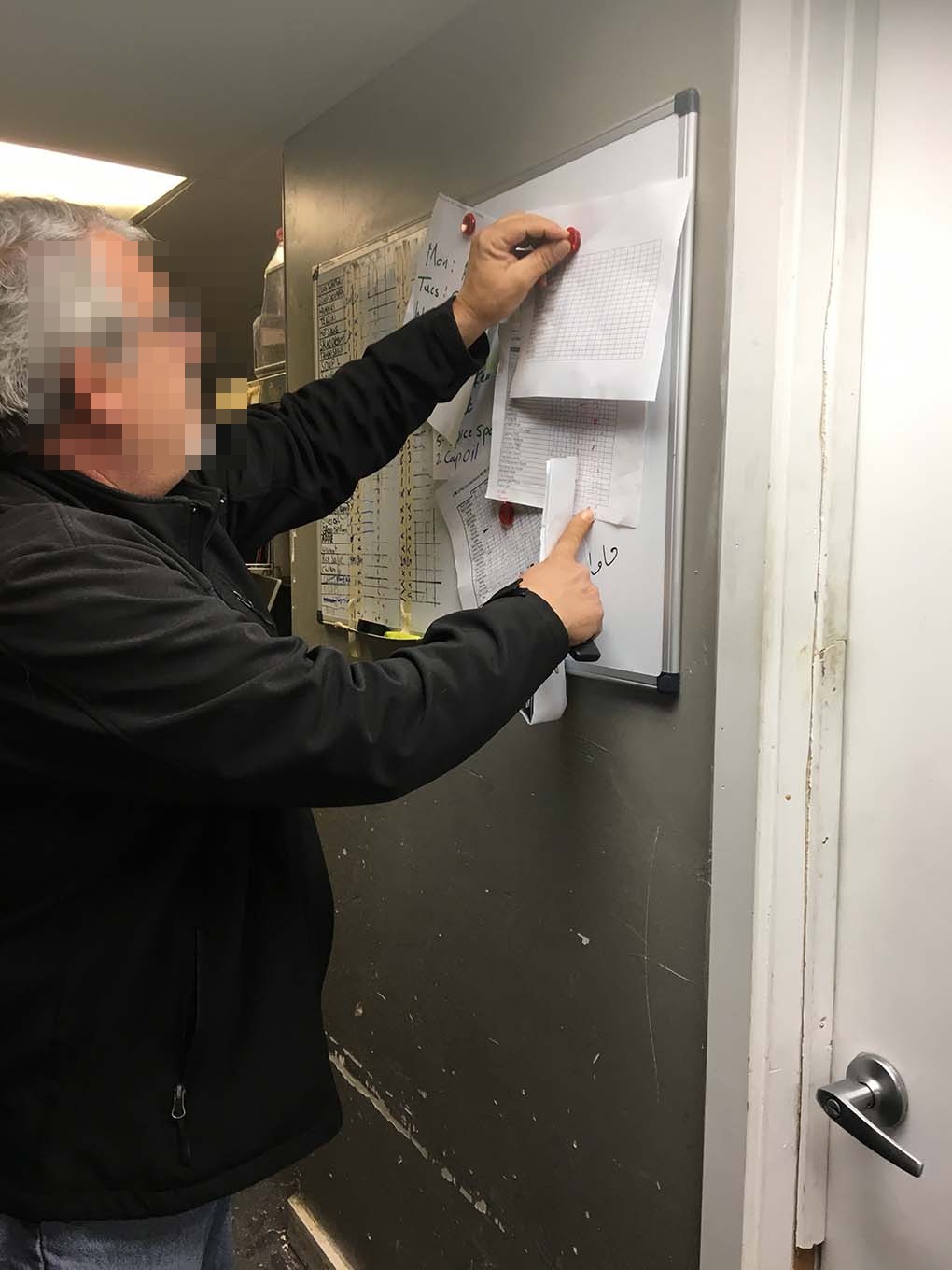
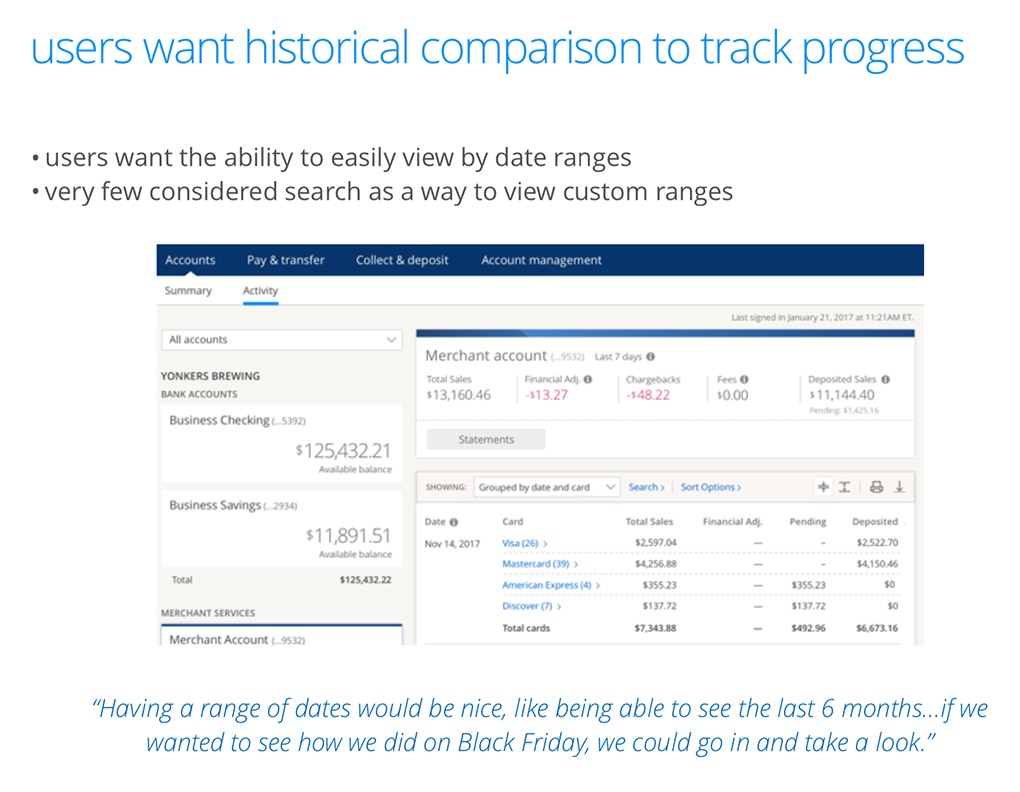
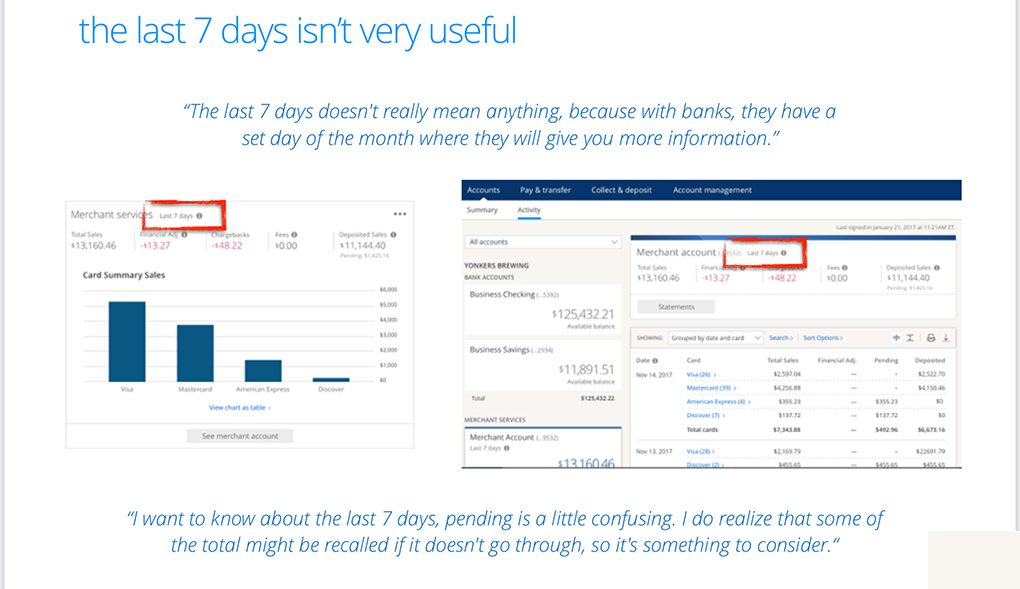
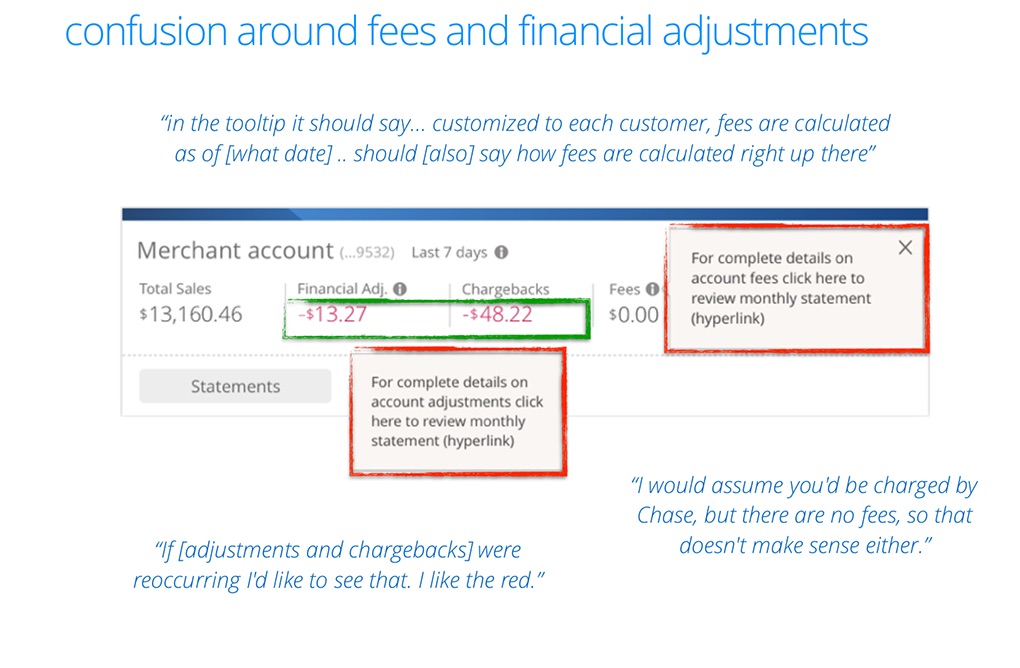
We visited a boutique, a pharmacy, an eyeglass store, a restaurant, and a fast-food spot. It was eye-opening: how much is still done by hand, how antiquated the software is, and why Square was winning. We also learned where the experience confused people — the terms around fees, chargebacks and adjustments, which vary a lot by card. Alongside watching them work, we walked merchants through our early concepts and captured their reactions — the usability feedback the quotes below came from.

“The last 7 days isn’t really meaningful — banks give me a full month.”
Merchant · usability research
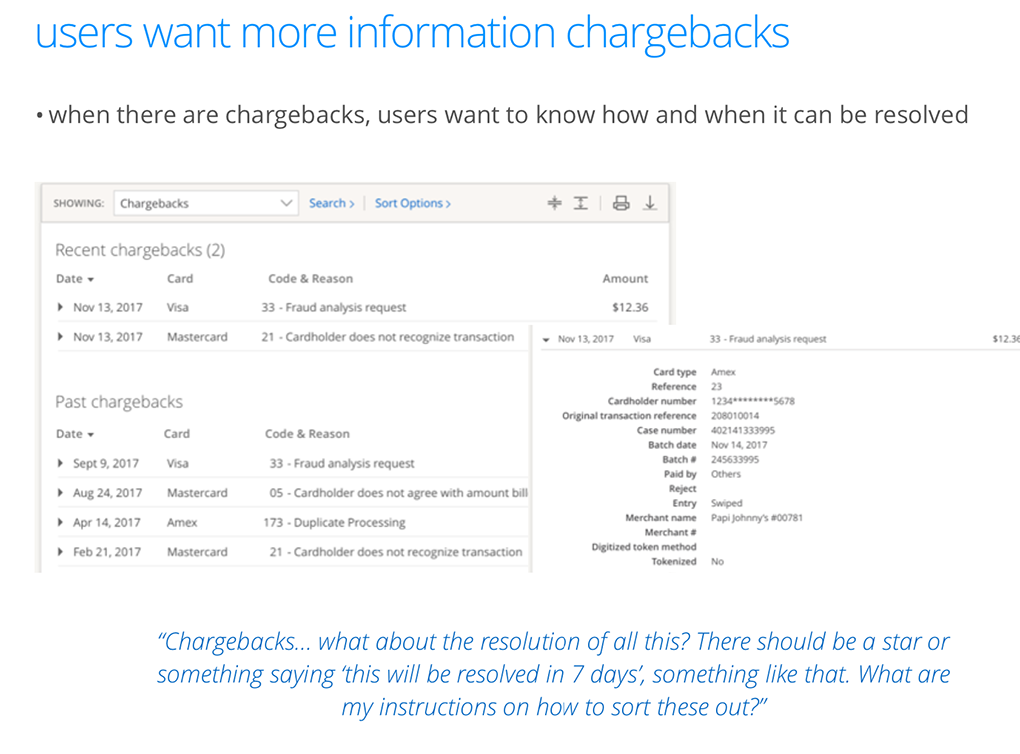
“What about the resolution of a chargeback? Tell me when it’ll be resolved.”
Merchant · usability research
What we found
The opportunities that made the case for a hub
Even the initial inquiry, with a small number of participants, produced a clear picture of the opportunity:
- An account framework fits — conditionally. Merchant Services can live in an account model, but whether it needs its own account depends on service frequency and volume.
- Higher-volume merchants need history. For frequent processors, functionality that shows 30–60 days of historical data is essential.
- Status is the priority. Awareness of reporting beyond the basics is low — so lead with what helps merchants understand status: pending vs. completed.
- Simplify through progressive disclosure. Ample room to simplify how reports and reporting info are presented.
- A well-placed feature exceeds expectations. The right page feature and robust controls would more than meet expectations for integrating this into Chase Business.
- Search closes the gap. Features like search help with the occasional disputed-payment issue.
The North Star · Google design sprint
One more sprint to lock the vision — and prove the MVP scaled to it
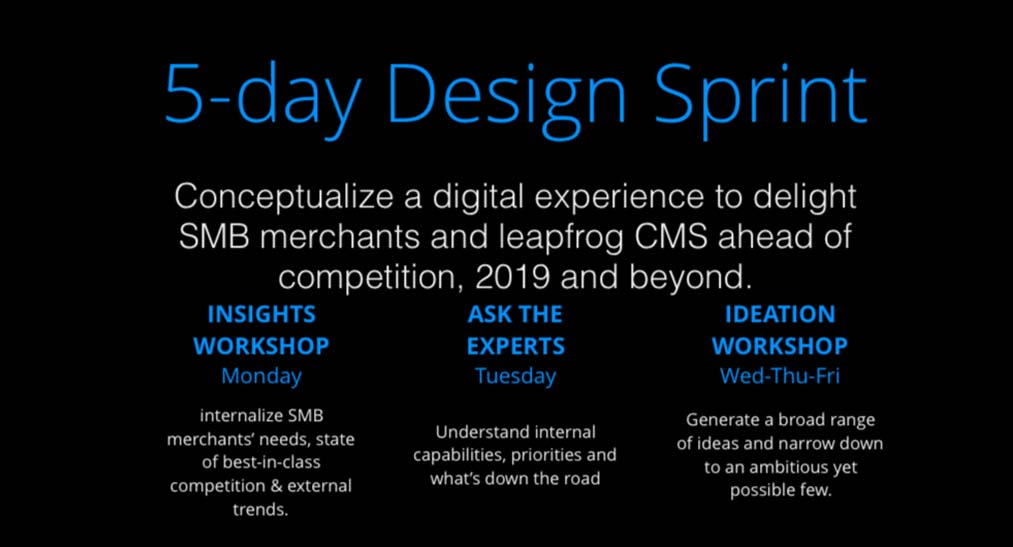
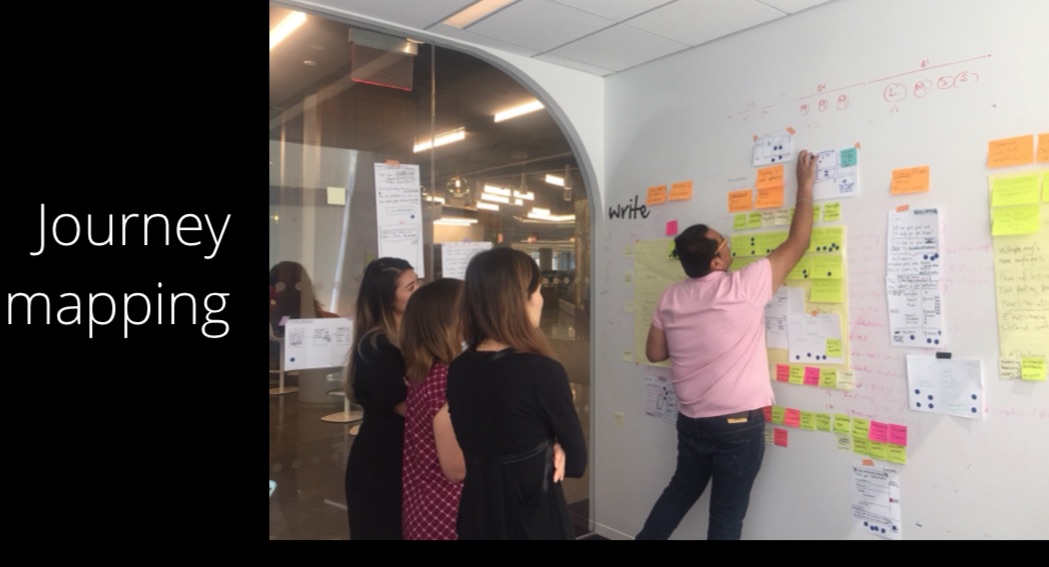
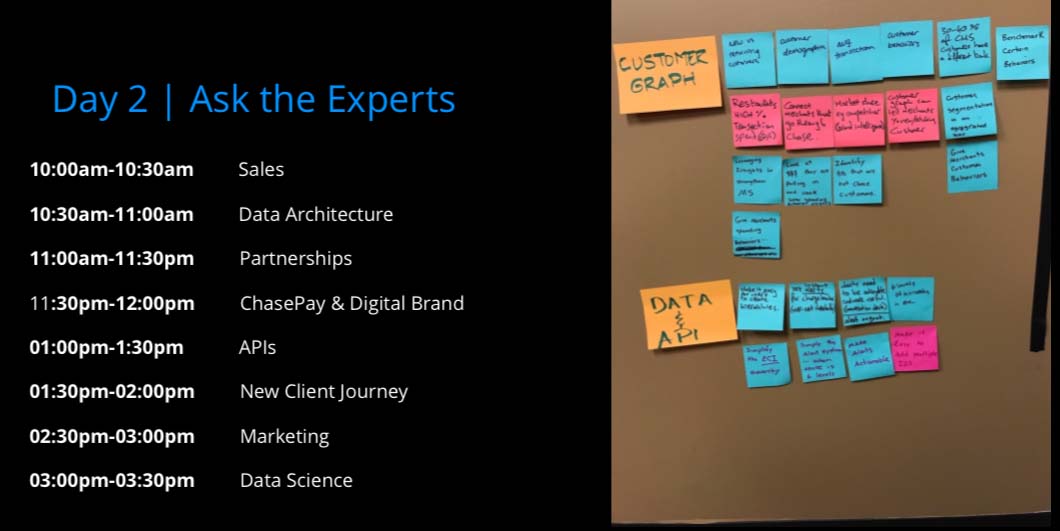
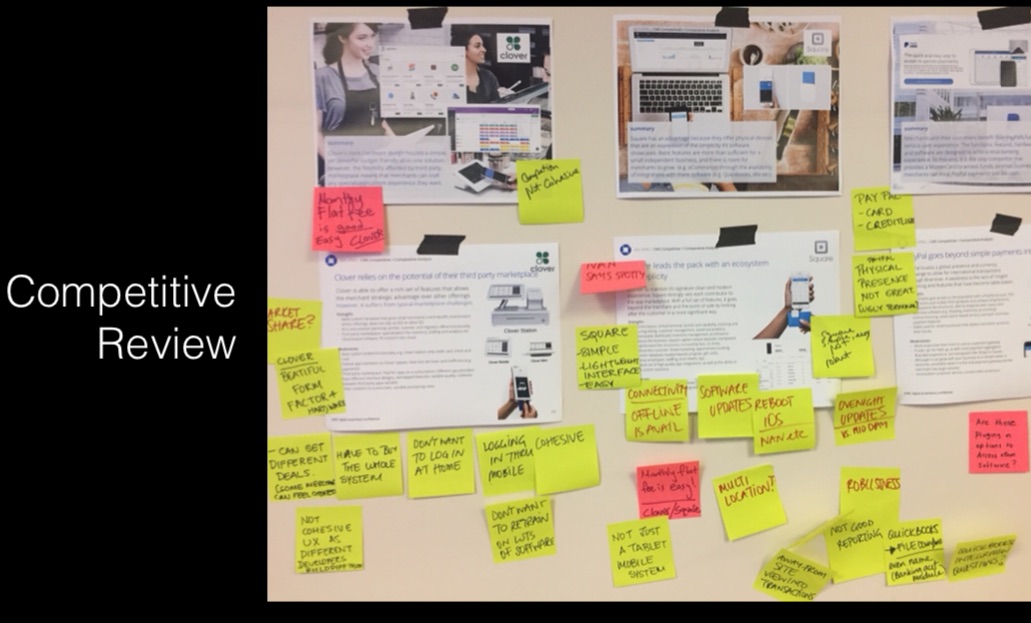
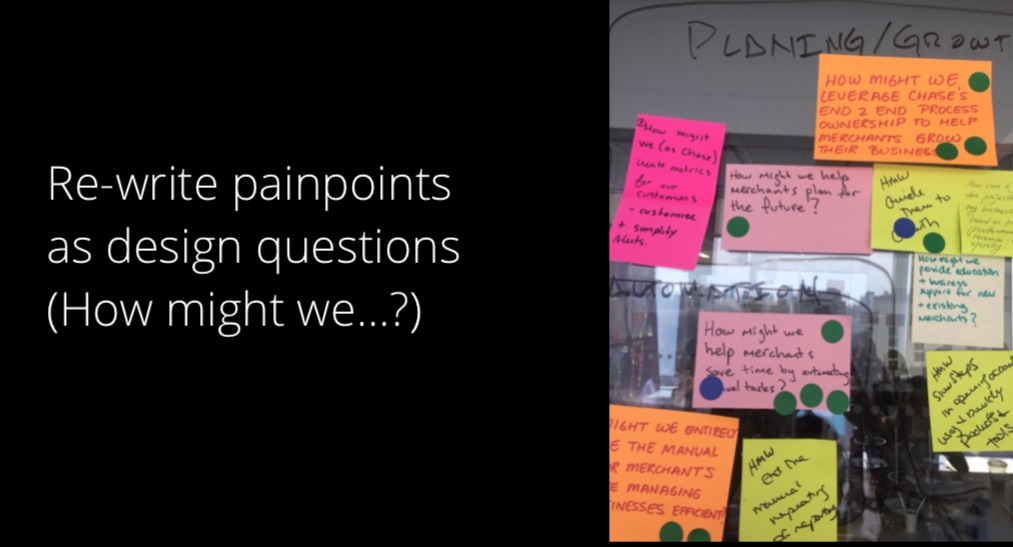
After the user feedback and the field research, we still had iterations to go — and we wanted to dig deeper into a vision proposal. So while part of the team worked the MVP iteration, we ran one more Google design sprint to make sure we felt good about both: the North Star vision, and that this MVP would actually work and scale toward it. Competitive review, journey mapping, an “ask the experts” share, How-Might-We framing, and crazy-eights to diverge and converge.
Prototype & usability testing
We mocked it up and tested with merchants one more time
Coming out of the sprint, we built prototypes and ran usability testing again — validating the refinements and getting a last read on the piece we were least sure of: the names of the five categories.
What we shipped
An MVP that got merchants off the old system — fast
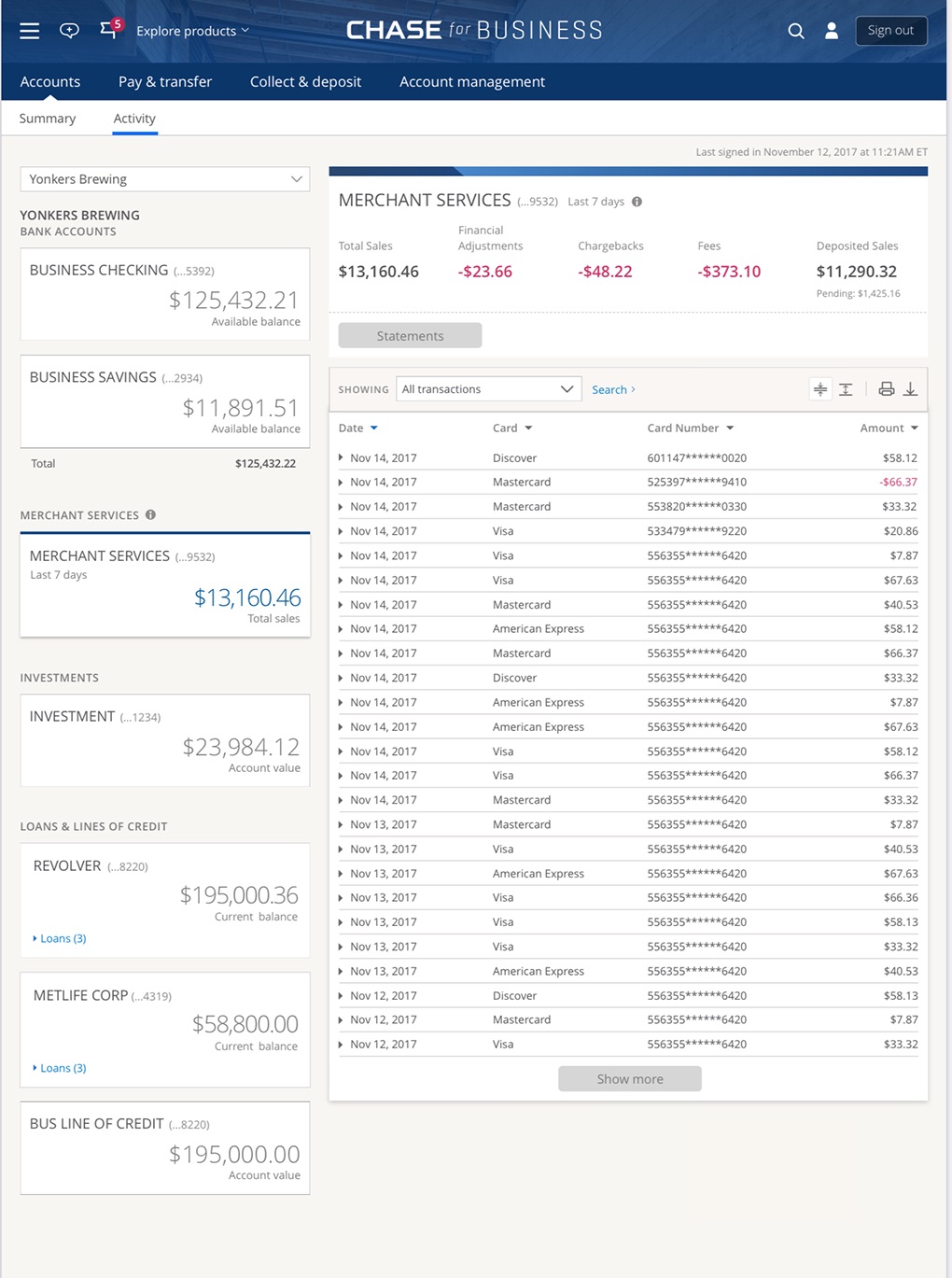
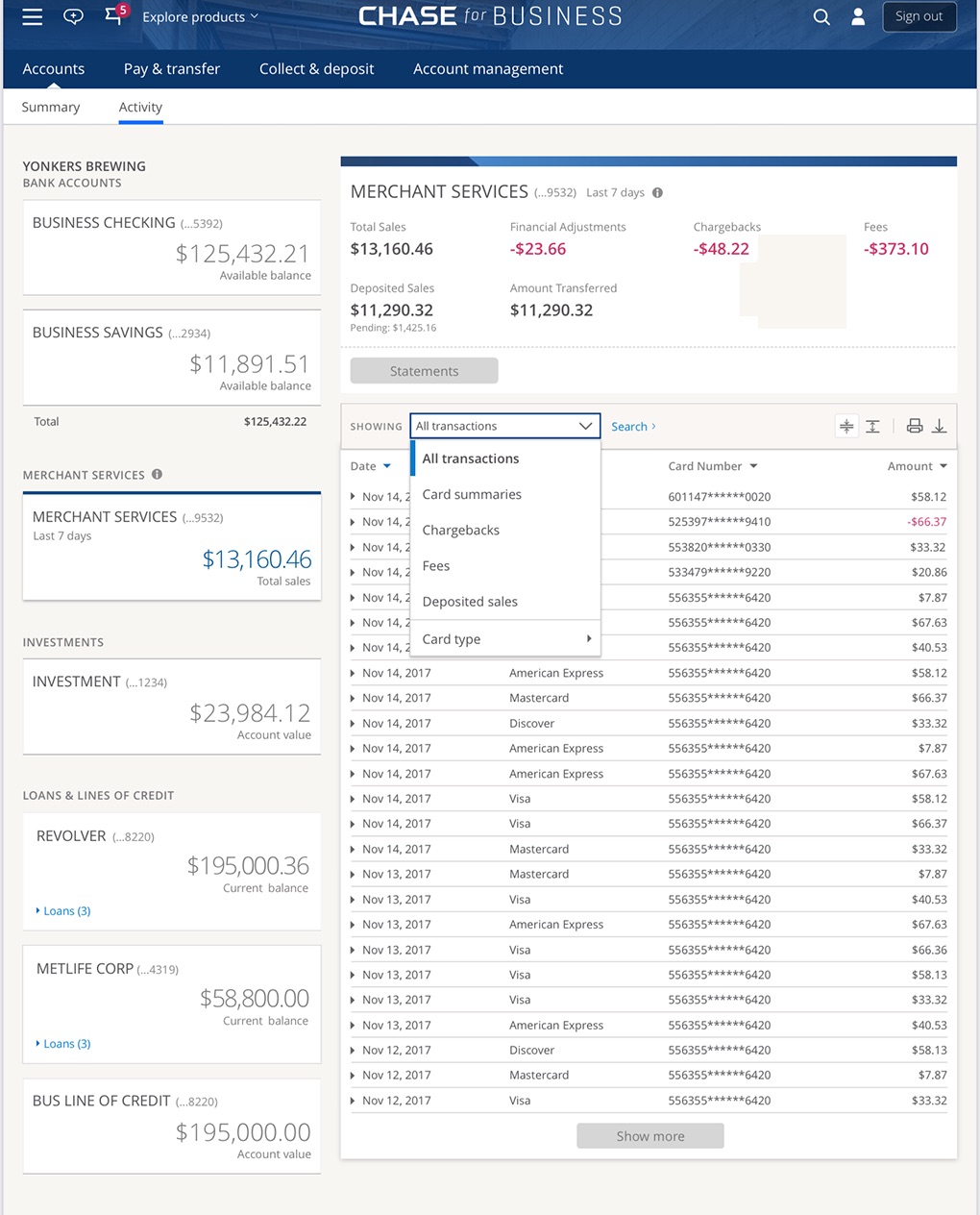
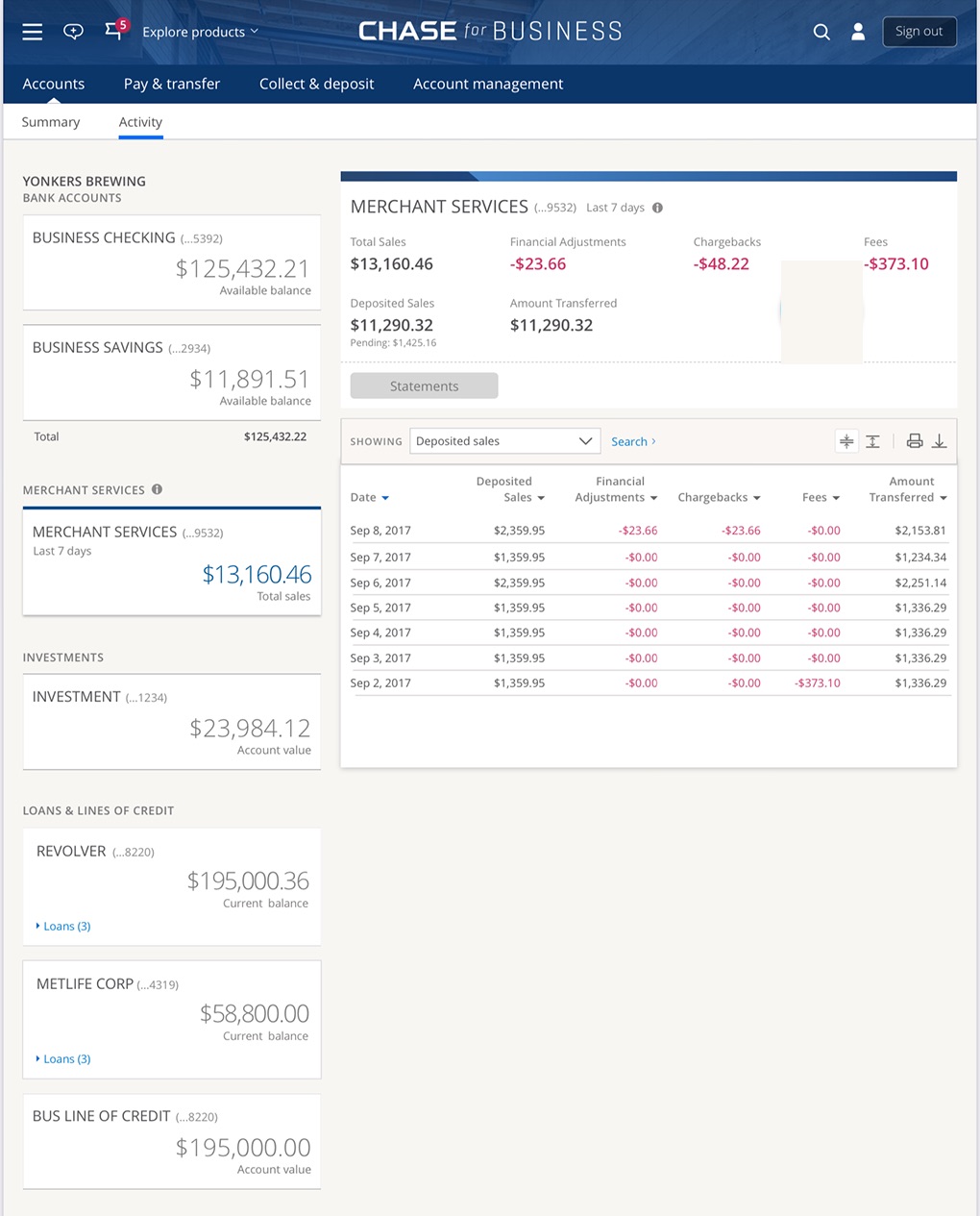
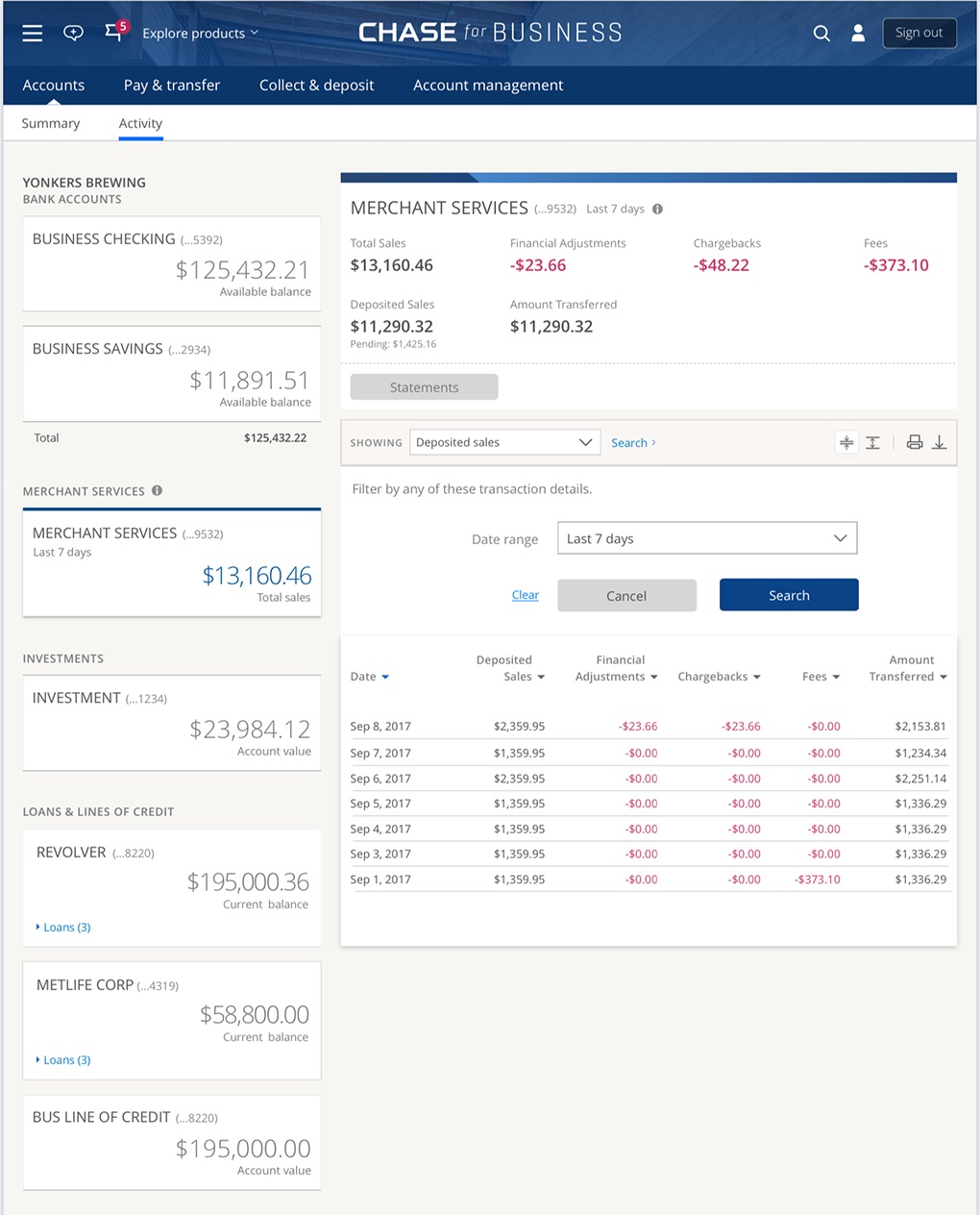
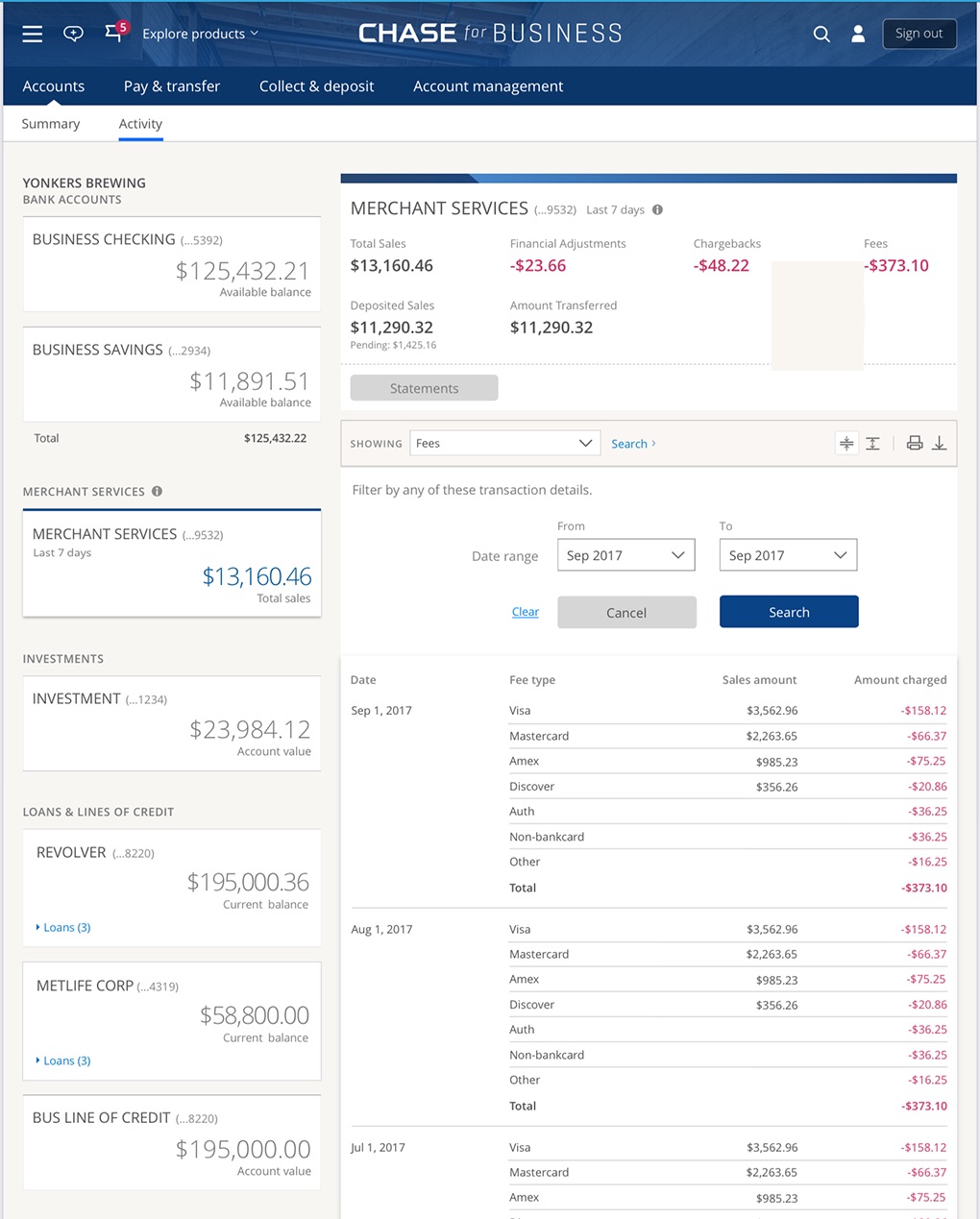
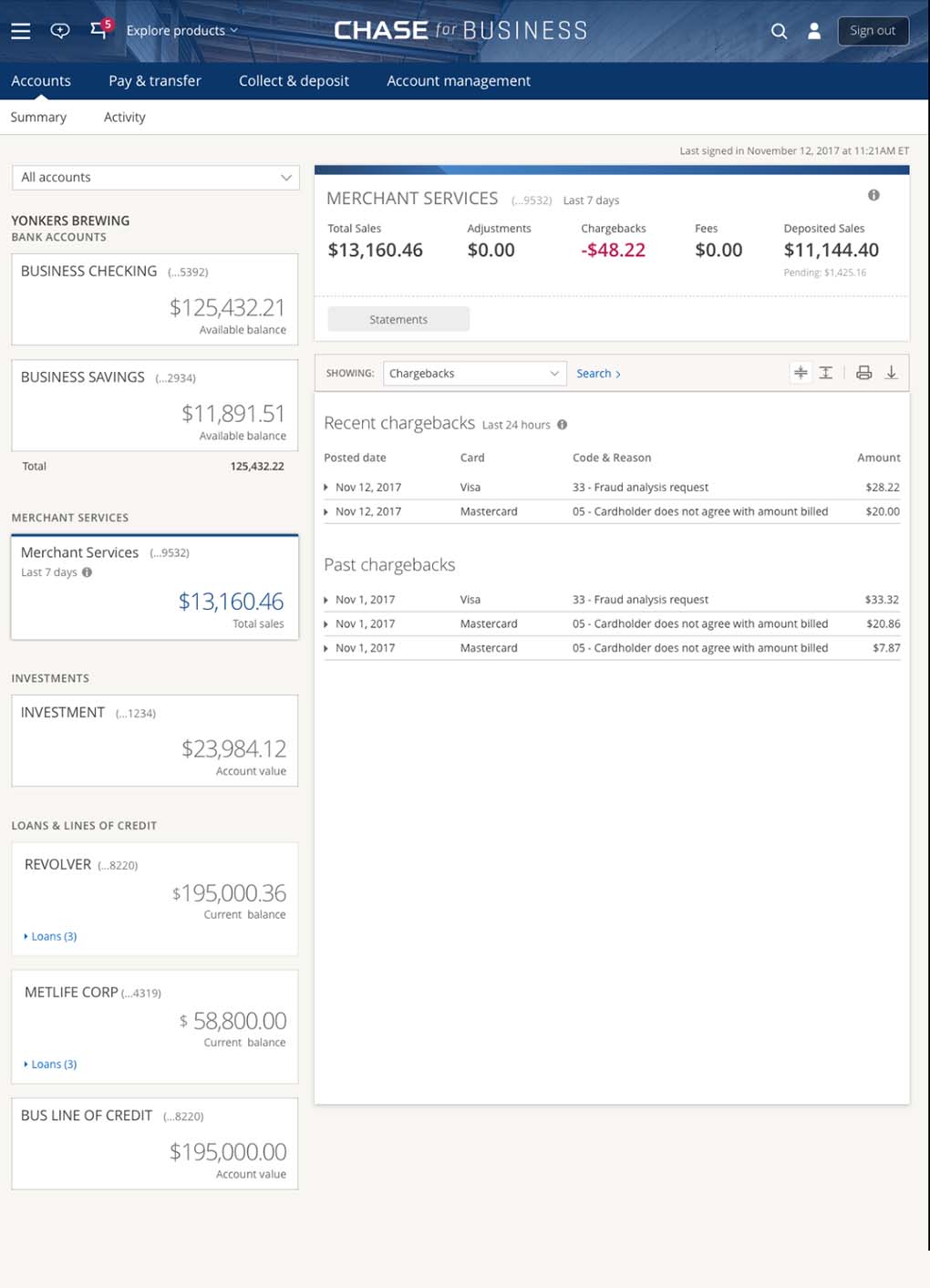
The goal was already set: get merchants off the painful legacy system and into Chase Business now. Because I’d already worked on Accounts, we surfaced the five data points merchants care about daily — Total Sales, Financial Adjustments, Chargebacks, Fees, and Deposited Sales — each clickable into a filtered transaction view, with data-viz cues and a homepage snapshot. (Illustrative dummy data.)
The outcome
The research won the budget for a dedicated hub
The MVP shipped on the landing dashboard and accounts, to positive feedback. More importantly, the research and the data we’d collected made the case: we won the budget to build a dedicated Merchant Services hub — not just data pushed into Accounts — and a new Merchant Services team was stood up to carry it forward as I moved on to API Portals and Connected Banking. The strength of the work was the pushback and the evidence; it moved the organization to fund the problem properly.
What came next — incremental wins while the hub waited
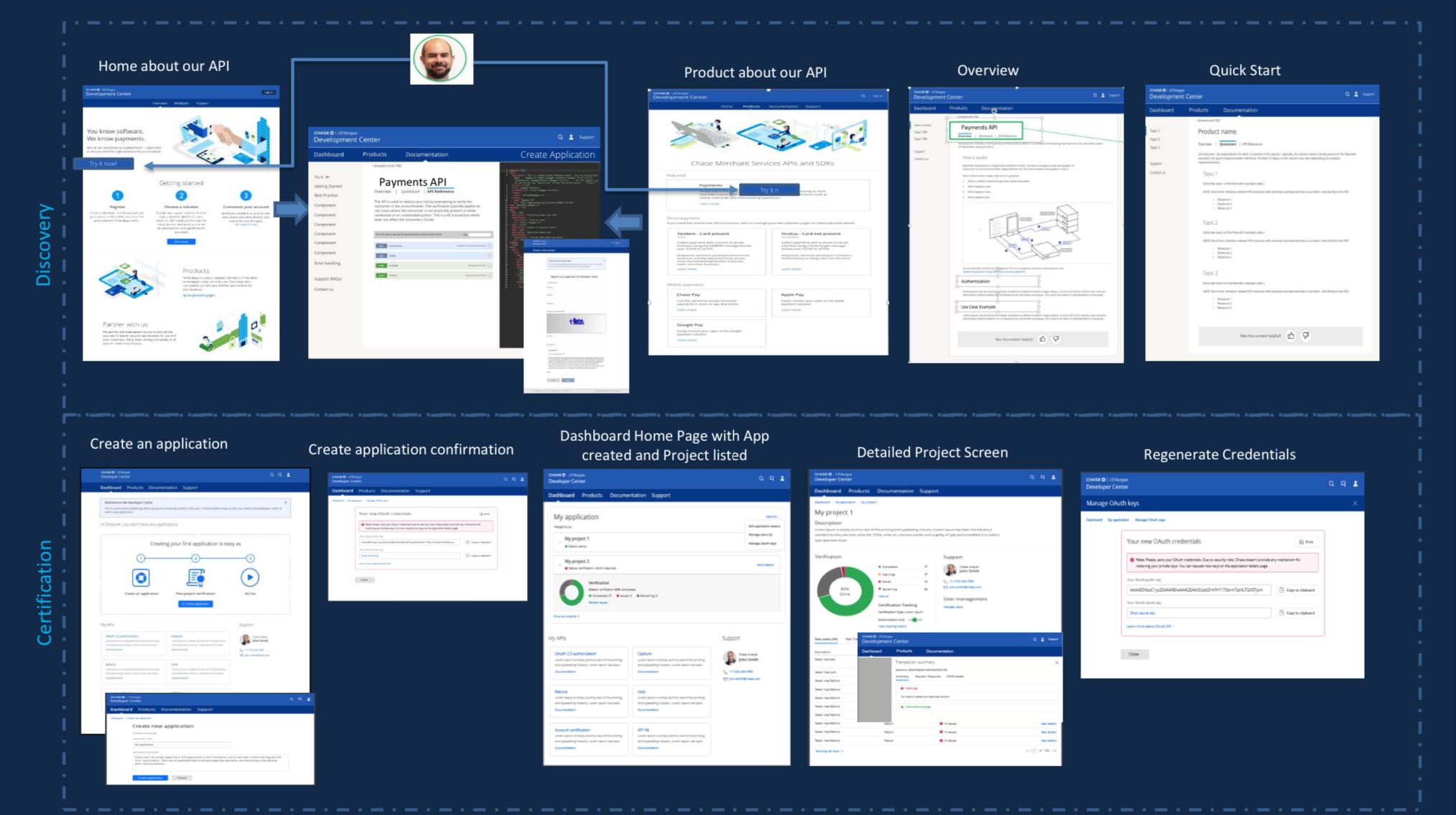
The budget was approved — but the funding to actually build the hub wouldn’t follow for another year. In the meantime my portfolio kept growing: I drove incremental improvements to the widget and its placement, while also leading the Developer Center redesign and the API portal “one API store” strategy — running up to three teams before the org moved to a pods model. That rapid run of wins carried me into the promotion to Head of API Portals, where another team was stood up under me.
Won hub budget
Funded a dedicated Merchant Services platform — beyond the bolt-on
New team stood up
A Merchant Services team built to carry the roadmap
Adopted cross-LOB
The homepage dashboard I led became a system across Chase LOBs
Promoted
Moved into the API Portals & Connected Banking work
Part of a broader Chase arc
The same period, I was brought in on the Merchant Services Developer Center — they wanted to turn their PDFs into real docs. Through discovery I convinced them of a major overhaul, which earned my move into the API Portals work. That thread continues across my Chase Business, Connected Banking and Developer Experience work — each its own deep dive, coming soon.